

The Innomesh Platform API is a secure REST interface that enables external systems to query room status, asset information, and alert data from the Innomesh platform. Use it to build integrations with ITSM tools, facilities management systems, custom dashboards, or AI/ML applications.
Key Concepts
| Concept | Description |
|---|---|
| App Client | A named credential representing an external system. Each App Client has a unique Client ID and Client Secret used for OAuth 2.0 authentication. |
| Permission Scopes | Control which API endpoint families an App Client can access, for example /rooms, /assets, /alerts, /metrics, and /mcp (the meshIQ MCP Server). Set in the app client’s Permission Scope list. |
| Access Token | A short-lived OAuth 2.0 bearer token, valid for 2 hours. Obtained via the Client Credentials grant flow. |
| API Key | A separate credential included as an X-API-Key header on every request. Provisioned by Innomate support. |
| Rate Limit | Defaults to 2 requests per second (burst of 10) and 1,000 requests per day per App Client. Higher limits available on request. |
Getting Started
1. Create an App Client
- Navigate to Administration > Users in Innomesh Portal.
- Select the App Clients tab.
- Click Add App Client.
- Enter a name (e.g., “ServiceNow Integration”, “Custom Dashboard”). The name identifies the App Client in audit logs and the management list and cannot be changed after creation.
- Select the permission scopes required.
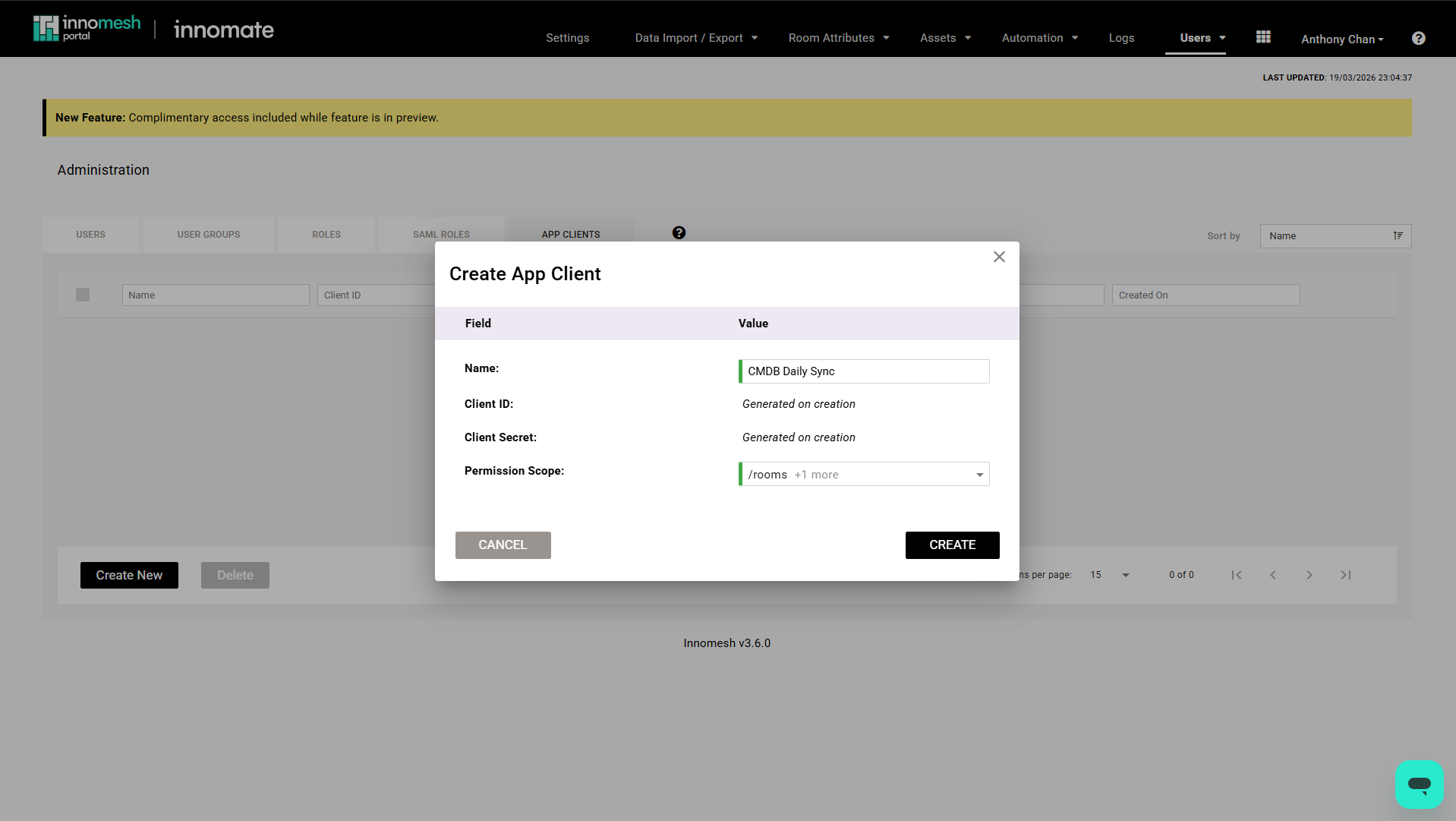
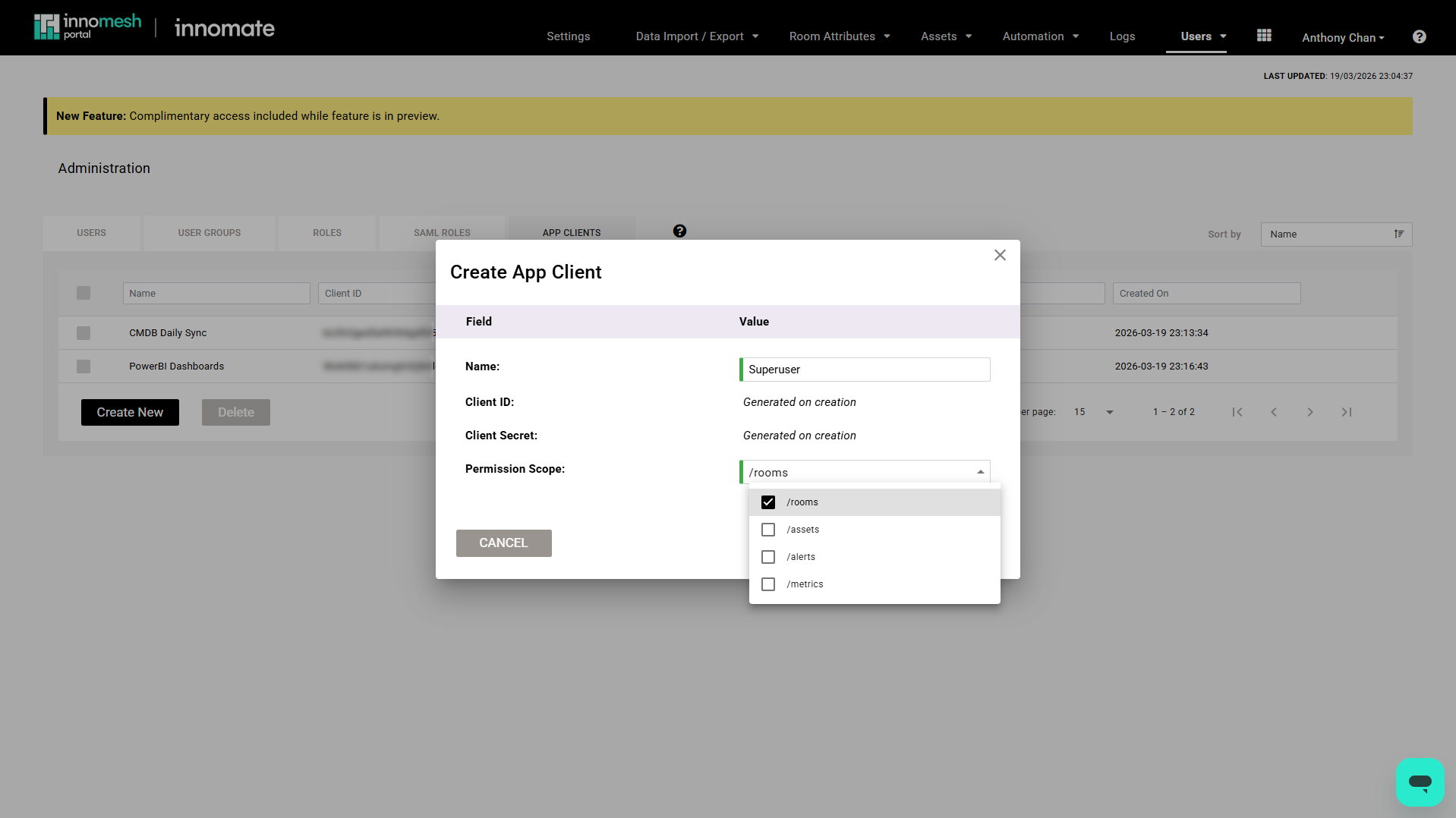
- Click Create.
- Copy the Client ID and Client Secret immediately.
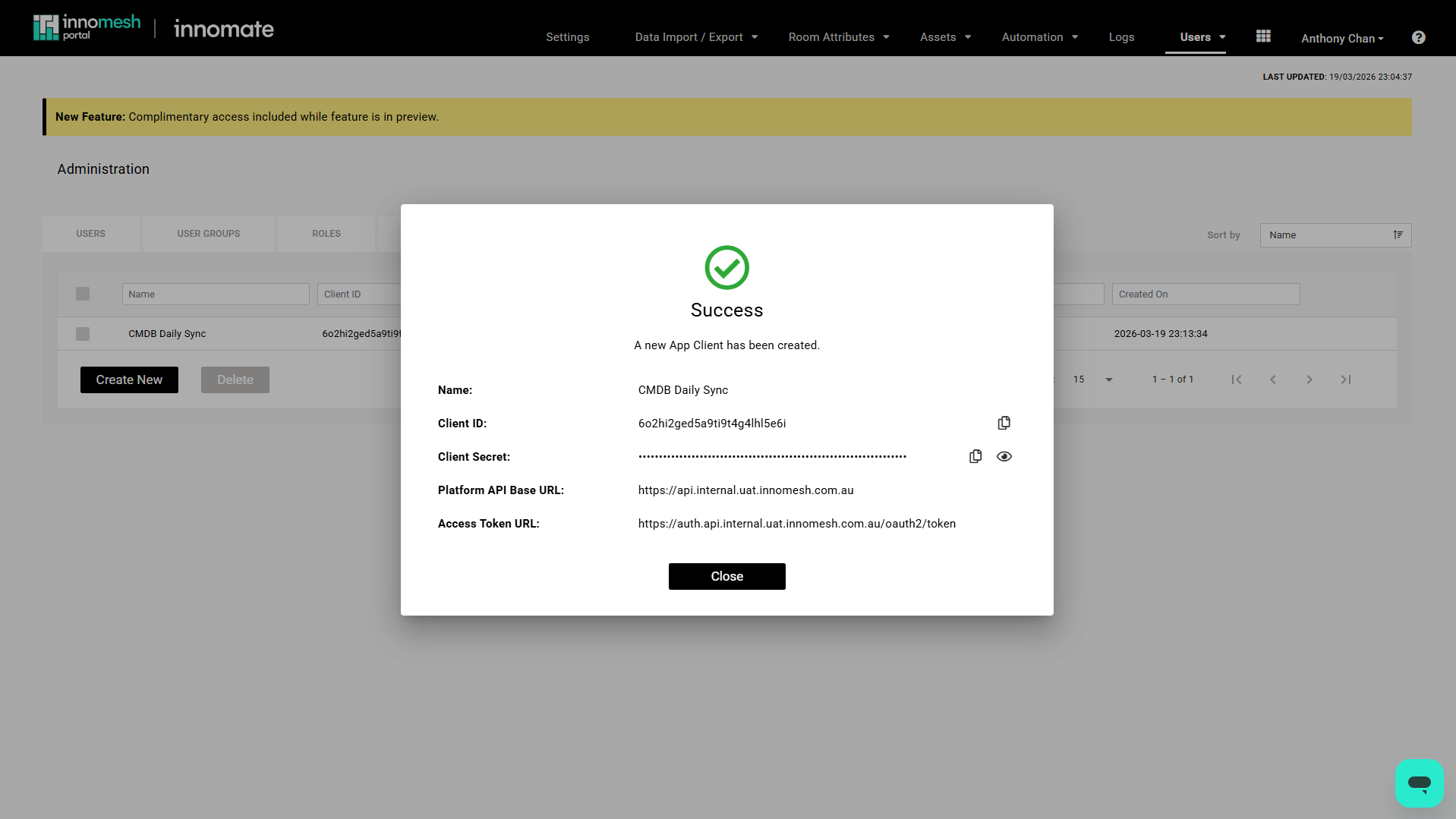
2. Obtain an API Key
Contact Innomate support (UXT Support) to request an API Key for your tenancy. The API Key is separate from the App Client credentials and is required on every API call.
3. Request an Access Token
Send a POST request to your tenant’s OAuth 2.0 token endpoint. The auth domain is region-specific:
| Region | Auth domain |
|---|---|
| AU | https://auth.platform.<tenant>.innomesh.com.au |
| EU | https://auth.platform.<tenant>.innomesh.io |
| US | https://auth.platform.<tenant>.innomesh.us |
POST https://auth.platform.<tenant>.innomesh.com.au/oauth2/token
Content-Type: application/x-www-form-urlencoded

grant_type=client_credentials
&client_id=<your_client_id>
&client_secret=<your_client_secret>
The response includes an access_token valid for 2 hours. Reuse the token across requests rather than requesting a new one per call.
4. Make API Calls
Include both the access token and API key on every request. The base URL is region-specific:
| Region | Base URL |
|---|---|
| AU | https://api.platform.<tenant>.innomesh.com.au/v1 |
| EU | https://api.platform.<tenant>.innomesh.io/v1 |
| US | https://api.platform.<tenant>.innomesh.us/v1 |
GET https://api.platform.<tenant>.innomesh.com.au/v1/rooms/<roomid>/status
Authorization: Bearer <access_token>
X-API-Key: <api_key>
Available Endpoints
The API is organised into six endpoint families:
| Family | Covers |
|---|---|
/rooms | Room inventory, per-room status, configuration, and resources |
/assets | Per-asset information, status, and resources within rooms |
/alerts | Alert details and history |
/insights | Catalogue, search, and per-room and per-asset metadata |
/metrics | Consumption and operational metrics |
/licensing | Licence entitlements and usage |
For the full endpoint list with request and response schemas, see the OpenAPI Specification. You can also browse and try the endpoints interactively in the Swagger UI hosted on your tenancy:
| Region | Swagger UI |
|---|---|
| AU | https://api.platform.<tenant>.innomesh.com.au/docs |
| EU | https://api.platform.<tenant>.innomesh.io/docs |
| US | https://api.platform.<tenant>.innomesh.us/docs |
Managing App Clients
From Administration > Users > App Clients, you can:
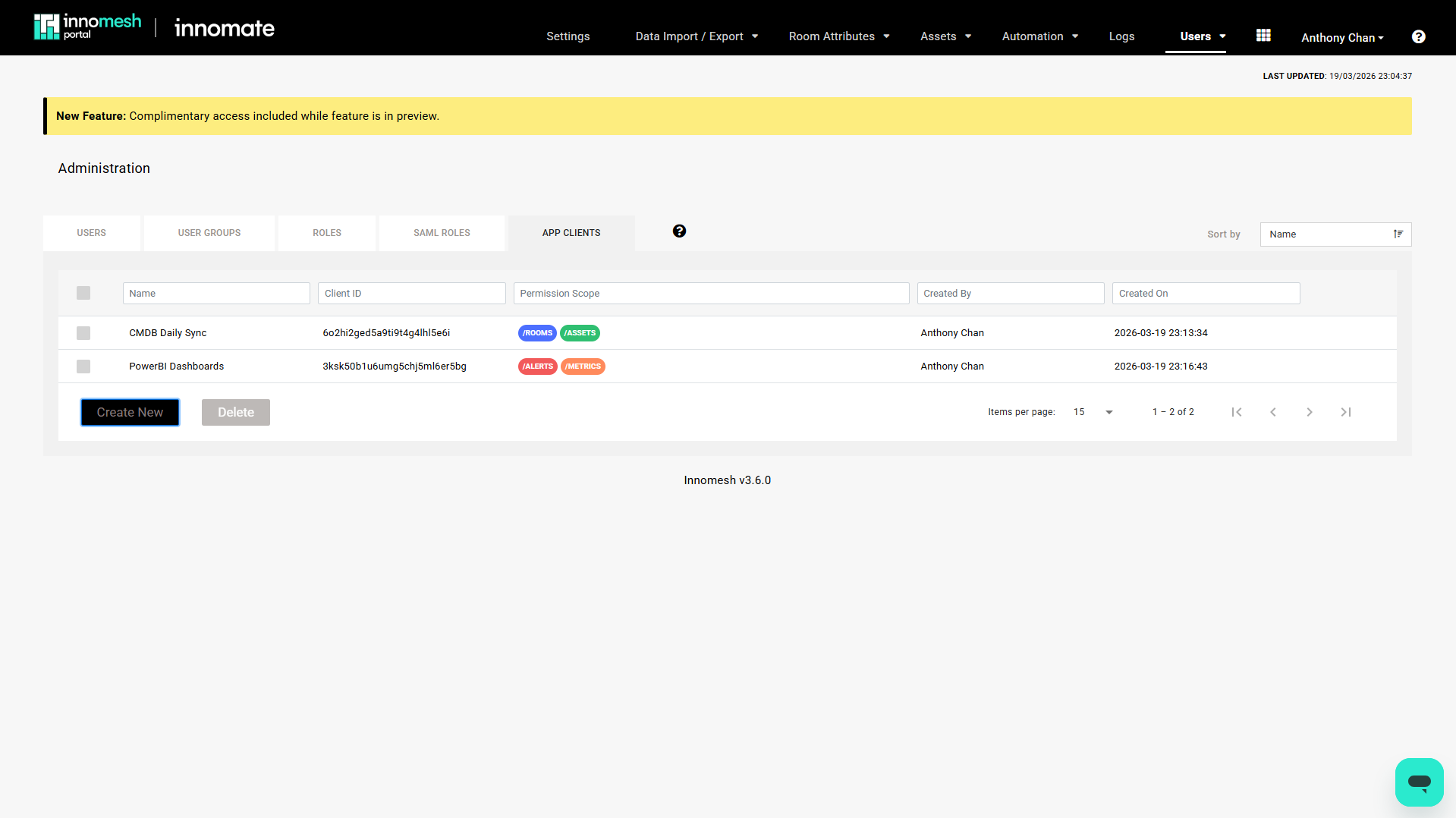
- View all App Clients with their scopes and creation dates
- Edit an App Client’s scopes or expiry
- Delete one or more App Clients to immediately revoke access
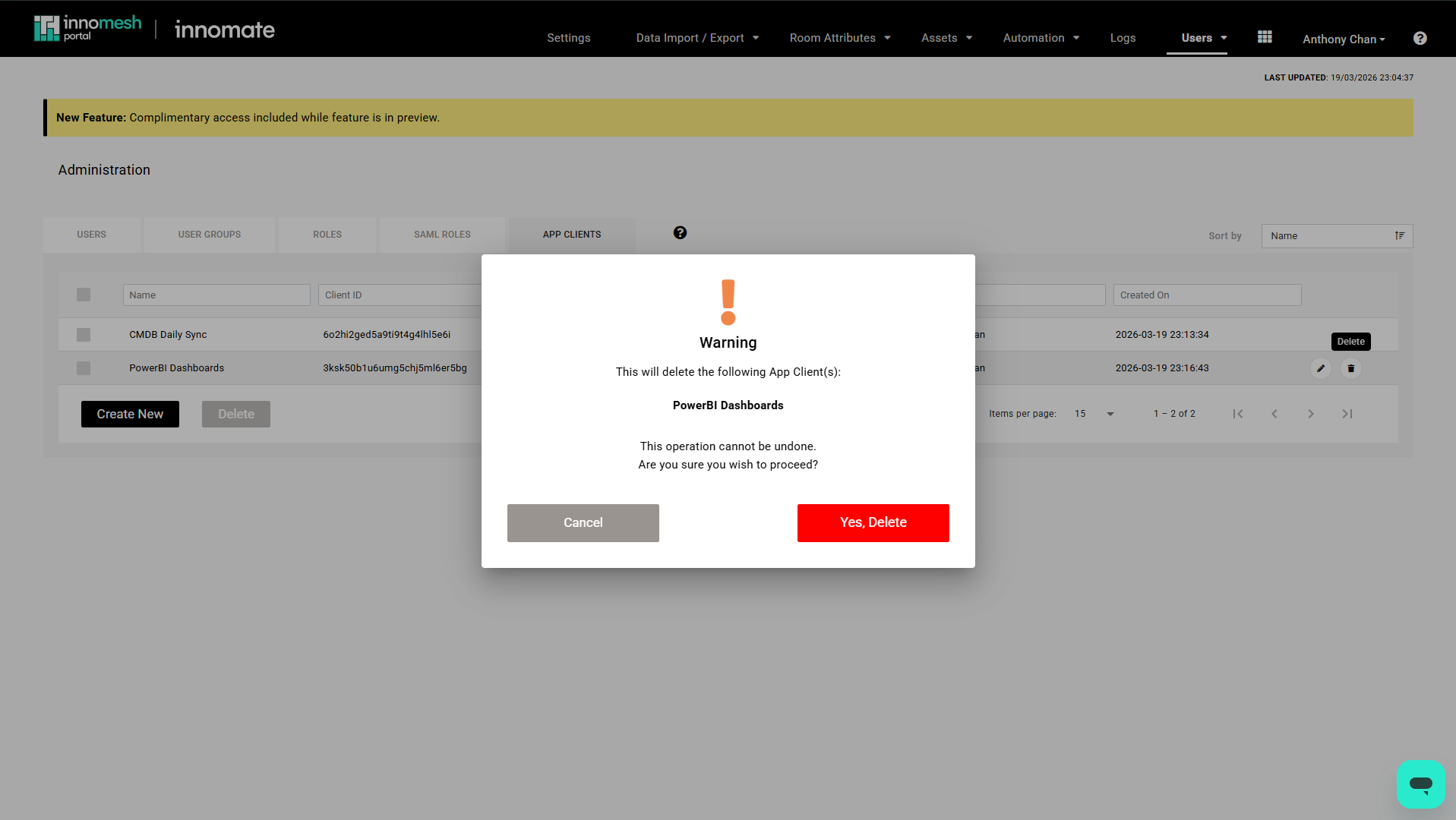
Deleting an App Client
- On the App Clients list, select one or more App Clients using the checkboxes on the left of each row.
- Click Delete.
- Review the confirmation dialog and click Confirm to proceed.
Audit Logging
All API calls are logged in the Portal audit logs. Each entry records:
- Event type (API call)
- App Client name
- Endpoint called
- Timestamp
- Response status
To view only Platform API activity, navigate to Audit Logs in the Portal and select Platform API logs only from the Log Type dropdown.
Use Cases
- ITSM integration: Query alert data to create tickets in ServiceNow or TeamDynamix
- Custom dashboards: Pull room and asset status into internal monitoring tools
- Facilities sync: Export room metadata to building management systems
- AI/ML: Consume occupancy and health data for predictive analytics