

Innomesh v3.6.1
Releasing to production on 31 July 2026 (Australia) and 7 August 2026 (US and EU).
Hotfixes deployed during this release cycle are listed in v3.6.1 Hotfixes.
Innomesh v3.6.1 is a large platform update. Despite the minor version number, it introduces meshIQ, Incident Management, Appspace and Biamp SageVue monitoring integrations, a redesigned Hotlist, a mobile-first Portal, and dark mode.
Release Highlights
- meshIQ (preview): ask questions about your environment in plain language and get answers as charts, tables, and written summaries
- meshIQ MCP server (preview): connect your own AI tools to Innomesh through the open Model Context Protocol
- Incident Management: group related alerts into single trackable incidents, natively in Innomesh or synchronised with ServiceNow
- Hotlist redesign: one unified alert list, self-service alert severity rules, and far less noise
- Mobile-first Portal: monitor and manage your environment from your phone
- Dark mode: switch Innomesh Portal to a dark theme with one tap, remembered on your device
- New monitoring integrations: Appspace digital signage and Biamp SageVue, plus a major Q-SYS uplift
- Property-based asset automation: detect configuration drift and correct it automatically. Auto-provision devices on detection.
- Accessibility: WCAG 2.2 alignment lifted above 90% across levels A, AA, and AAA
preview- prefix. If you cannot reach your preview portal, contact your Innomesh account representative.Innomesh Portal
meshIQ (Preview)
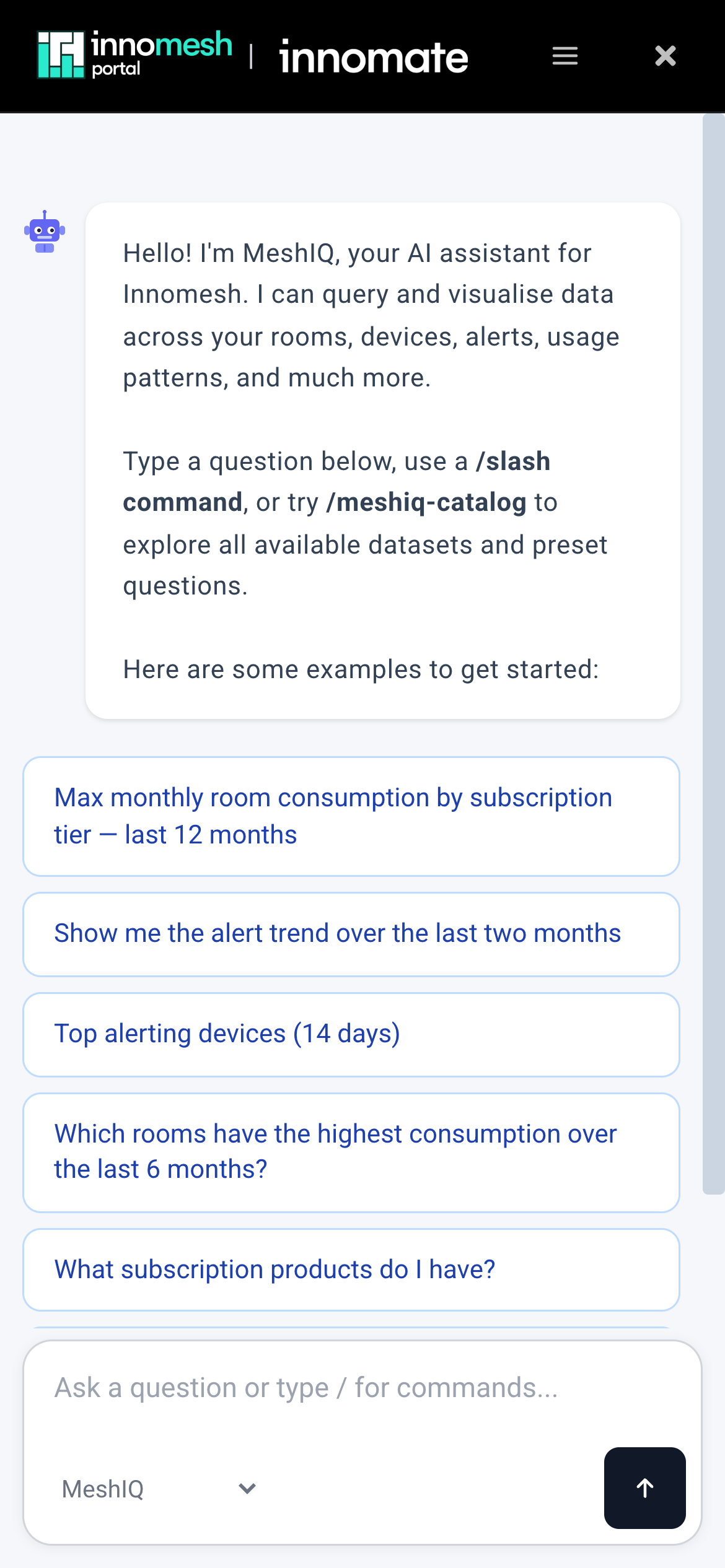
meshIQ is Innomesh’s platform-wide AI assistant, now available in preview1 within Innomesh Portal. Ask a question about your rooms, alerts, or wider environment in plain language, and meshIQ answers with a written summary and the chart or graph best suited to the question, drawing on live knowledge of your environment through the Innomesh Platform API.
meshIQ routes every question to the right specialist agent automatically: the Alerts agent diagnoses alerts in context, building on the AI diagnosis introduced in v3.6.0, and the Insights agent answers questions across your entire estate.
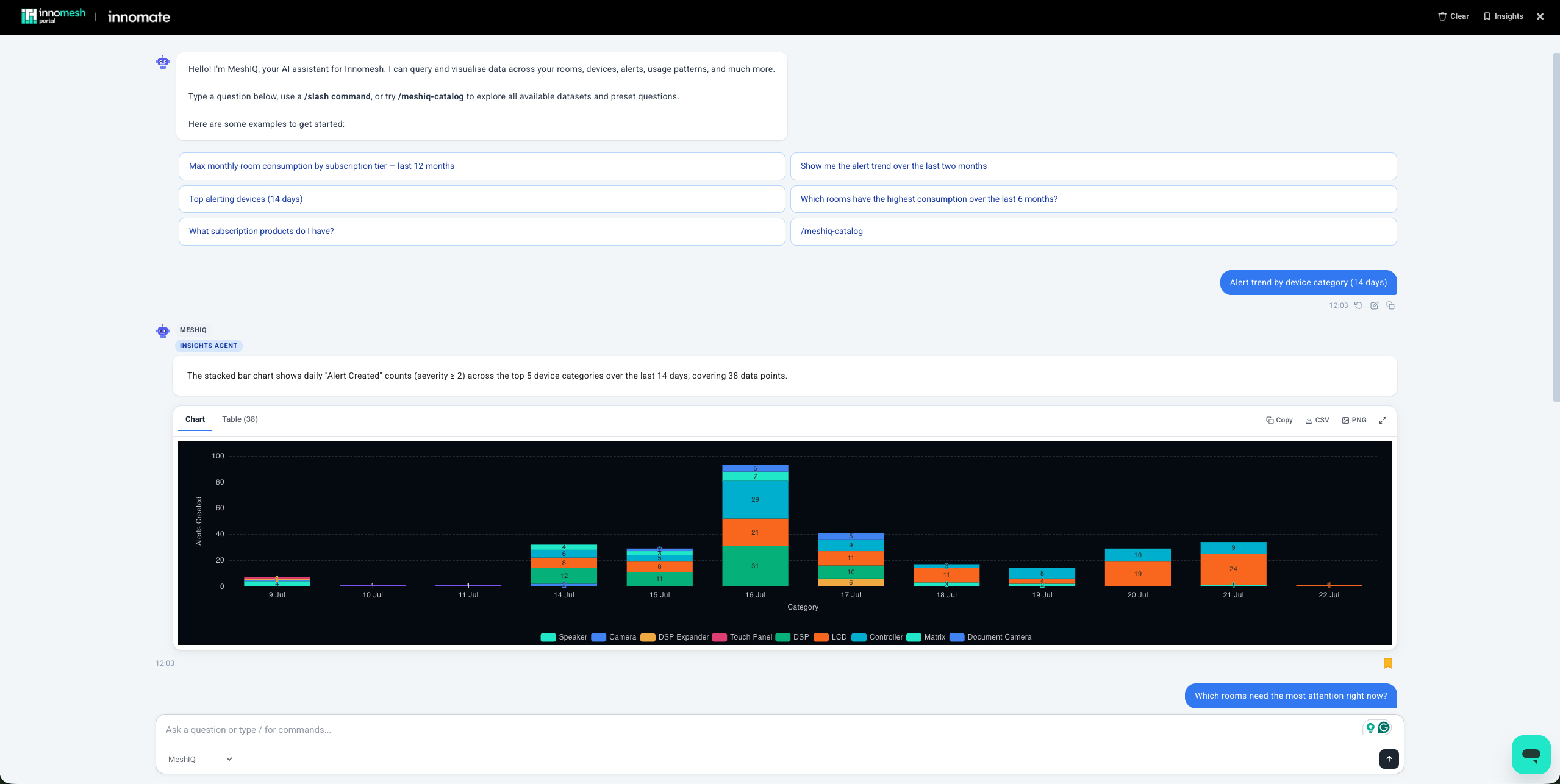
Start with the built-in catalogue of prefabricated queries. These cover common questions and have been tested for rich results. meshIQ also accepts free-form questions of your own, and every generated insight can be viewed as a chart or a table, exported as CSV or PNG, and bookmarked to your Saved Insights for later replay.
Clicking the meshIQ button now opens this unified view rather than a per-alert pop-up, consolidating Innomesh AI in one place. This is just the beginning: new meshIQ capabilities will continue to roll out throughout 2026.
meshIQ MCP Server (Preview)
The meshIQ MCP server is also available in preview1, allowing your own AI tools to securely query Innomesh through the open Model Context Protocol, drawing on the same platform capabilities that power meshIQ. Connect Claude, Microsoft Copilot, Cursor, or other MCP-compatible tools to your tenancy and ask about your rooms, assets, alerts, and automation in plain language.
Incident Management
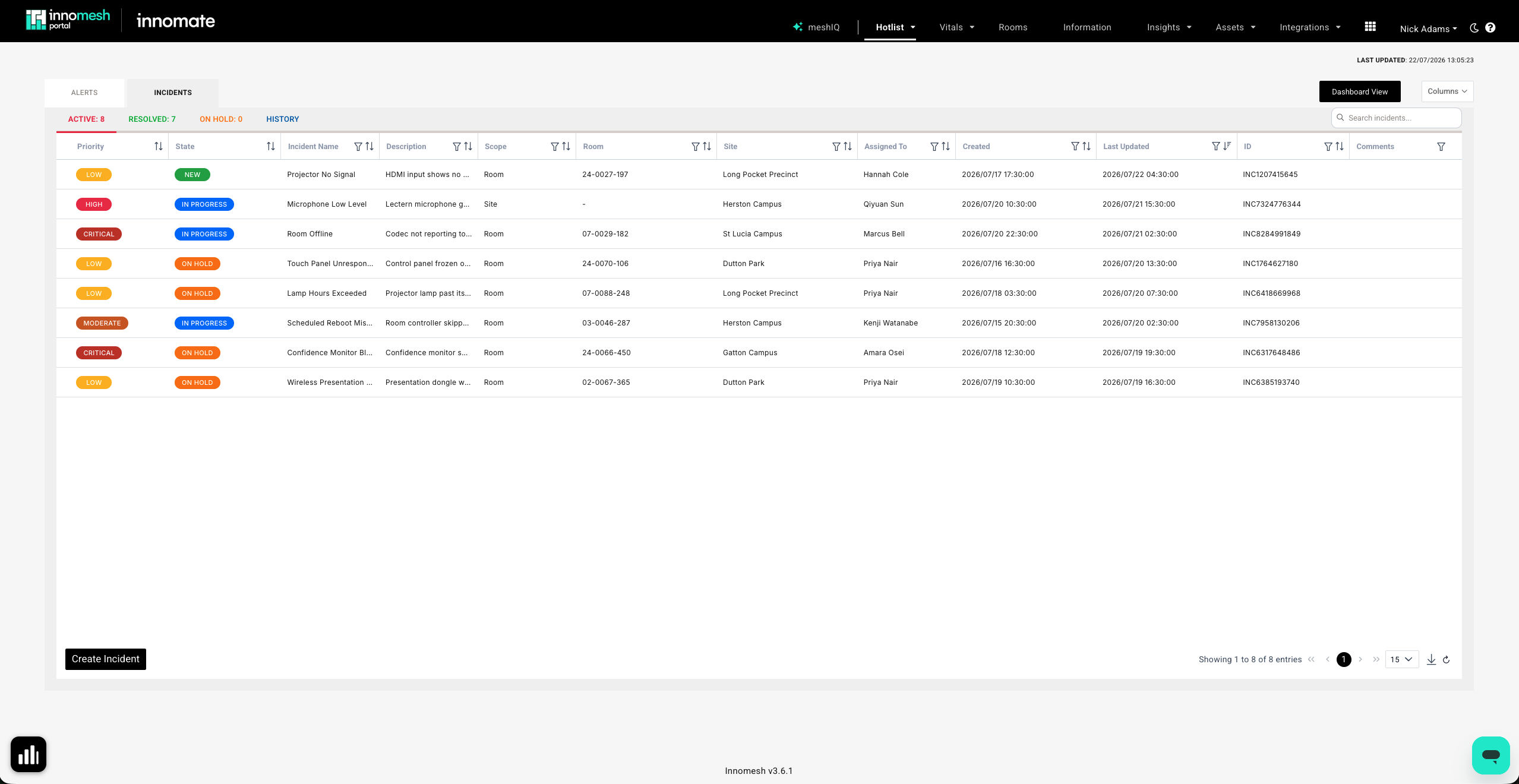
Incidents bring together higher-order issues across your environment, such as a room outage or a wider environment outage, that may not be obvious from any single alert. Rather than working through many granular alerts individually, related alerts are grouped into a single incident: for example, several alerts of the same type, or multiple alerts within one room. Incidents can also be created manually, so your team can surface and track issues that Innomesh has not detected automatically.
Each incident carries a scope (Global, Site, Zone, or Room) and a priority derived from its impact and urgency, following the ITIL definition your service desk already knows. A new Incident Trends graph shows whether your environment is trending better or worse over time.
For customers using ServiceNow, the ServiceNow integration has been extended beyond CMDB to include incident management: incidents flow in both directions, so your AV operations team and your service desk work from the same record in whichever system they prefer.
Hotlist Redesign
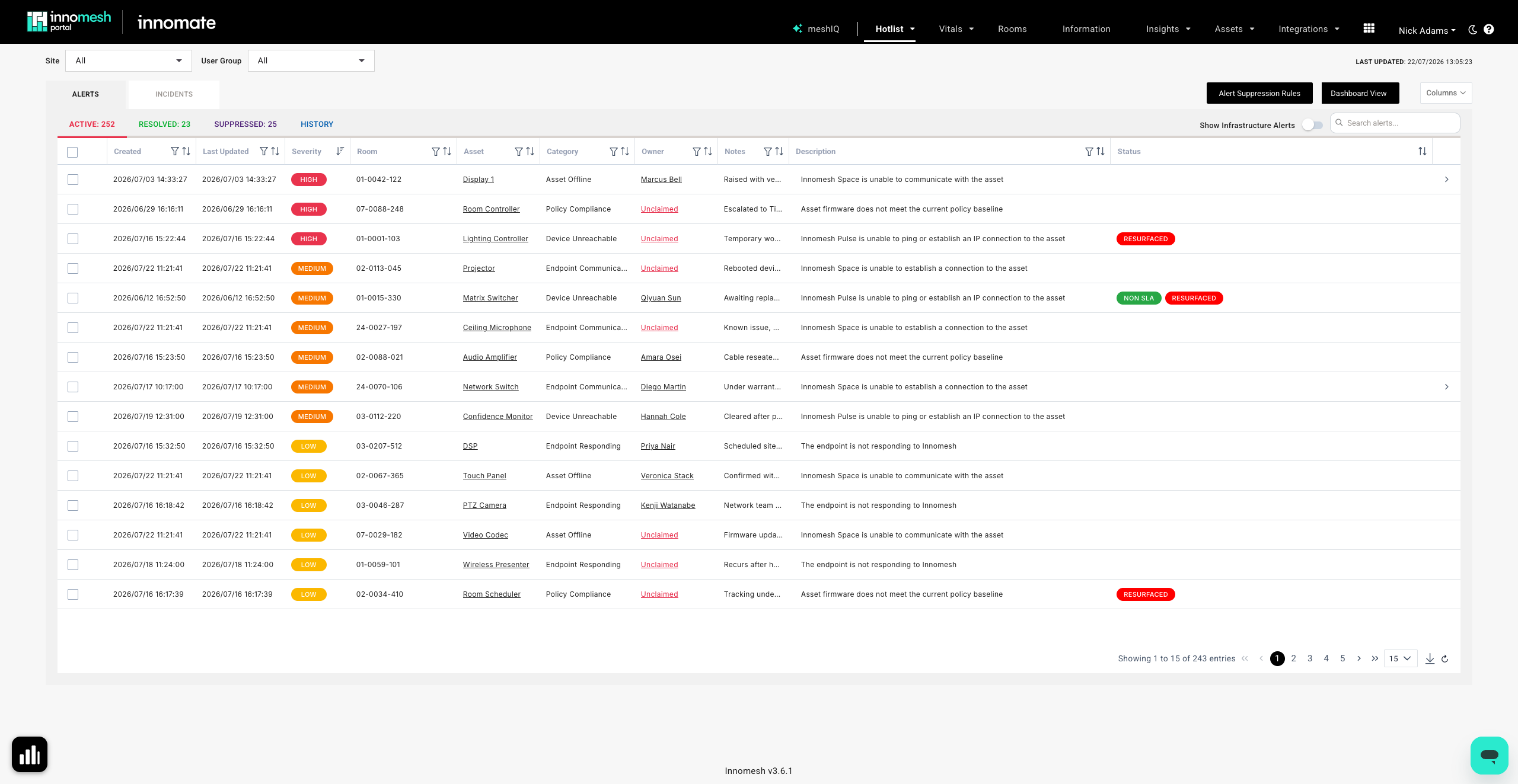
The Innomesh Portal Hotlist has been reworked for greater usability, and alert handling is now far more configurable from within the Portal.
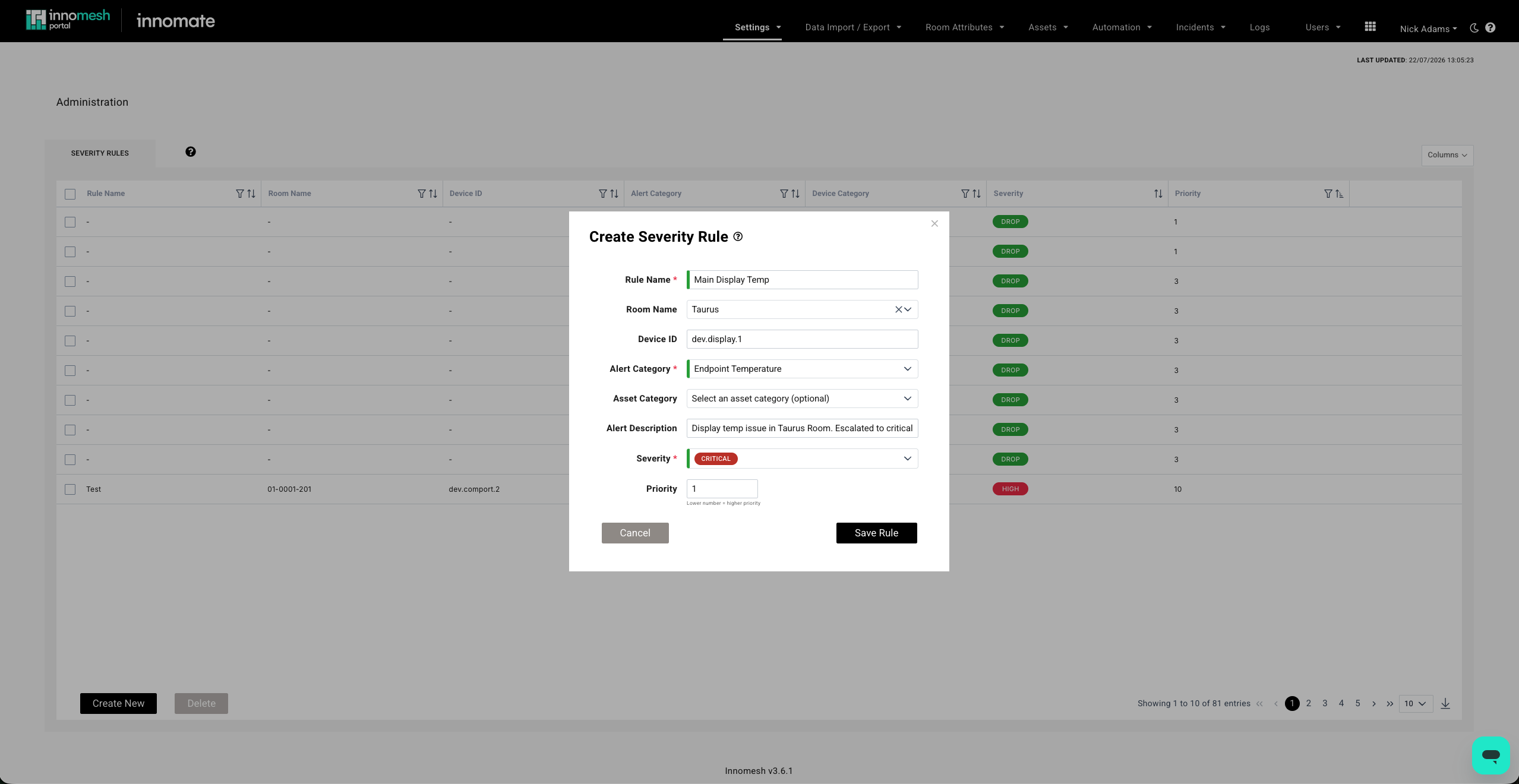
Configurable alert severity rules are the standout addition. Administrators can now define overarching alert rules directly under the Administration section of Innomesh Portal, rather than needing to contact support. Each rule has a name and targets an alert category, optionally narrowed to a specific room, device, or device type, and can change an alert’s severity, suppress it, or drop it entirely before it reaches the Hotlist. This gives you stronger control over your alerts that previously required a support call.
The Hotlist view itself has also been streamlined:
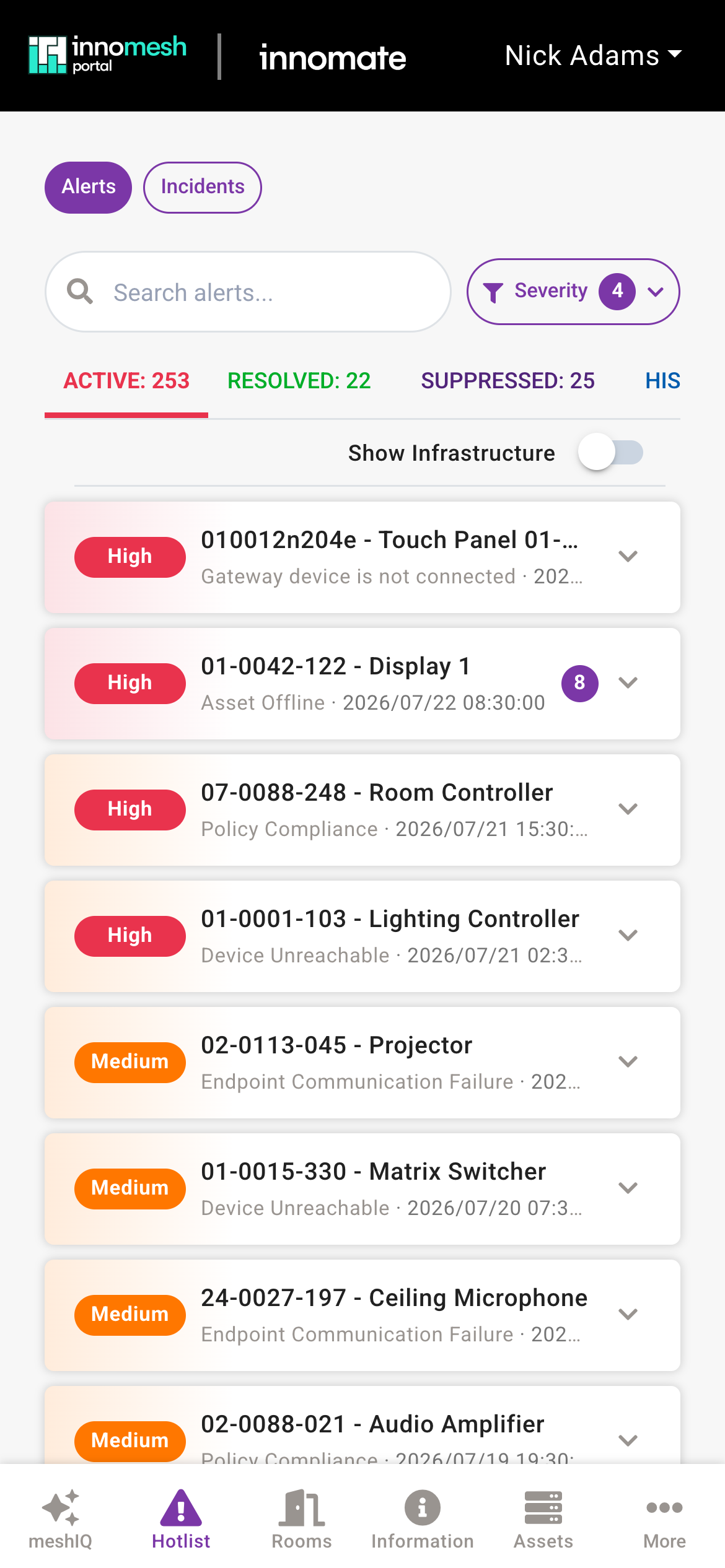
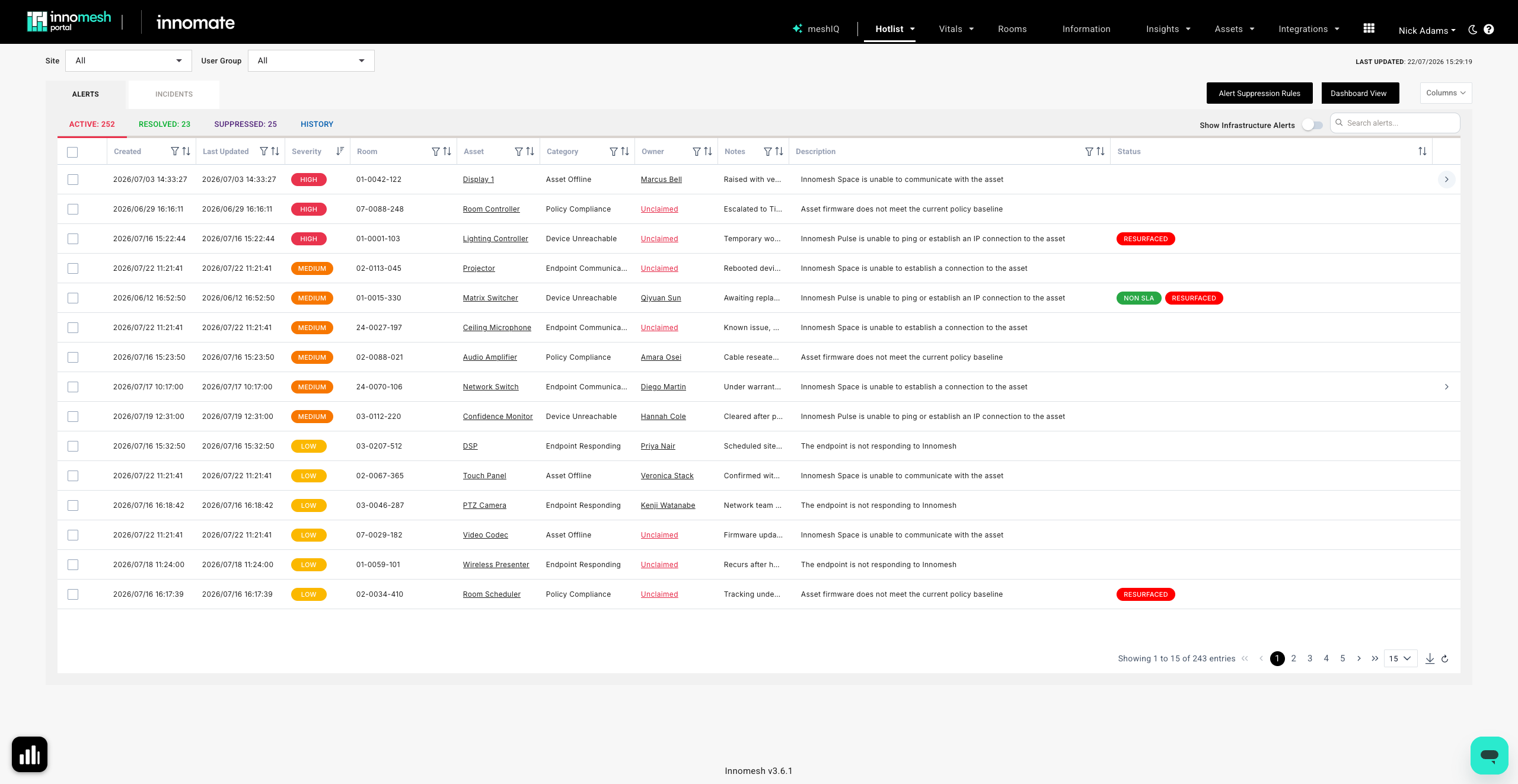
- Active alerts now appear as a single, unified list with the highest-severity alerts at the top, rather than being split into separate lists by severity. Severity is now shown as a column.
- Infrastructure alerts (typically owned by Innomate, such as CPU, memory, and disk usage) are now hidden by default and can be toggled on whenever you need them.
- Alerts for assets that are unreachable across the different Innomesh technologies (Space, Sight, Pulse) are now grouped under a single “Asset Offline” alert, which can be expanded to view the underlying alerts when required. The underlying alert data is unchanged for diagnostics.
- Comments are now mandatory when adding manual alert suppression rules, improving traceability. Existing rules are unaffected.
- A “last updated” timestamp has been added to alerts, showing the most recent user action (for example, when an alert was claimed or assigned).
- A new alert trends graph is now available on the Hotlist.
Mobile Experience
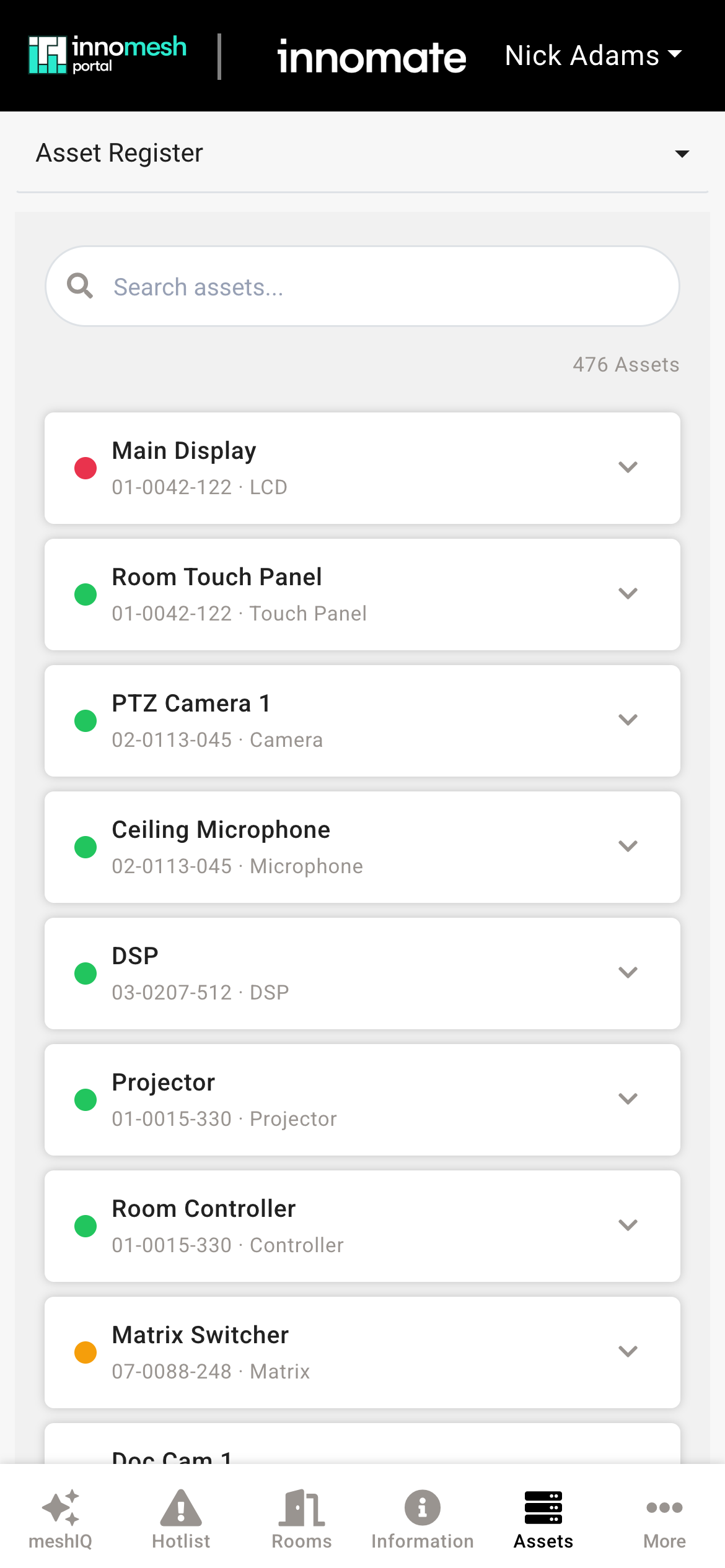
The Innomesh Portal mobile experience has been fully revamped, with a redesigned, mobile-first interface that makes it far easier to monitor and manage your environment on the go.
Dark Mode
Innomesh Portal now includes a dark mode, introduced as a user-level preference that persists on your device. Whether you prefer it easier on the eyes in a dim control room or simply like the look, the whole Portal follows your choice.
 Light
Light 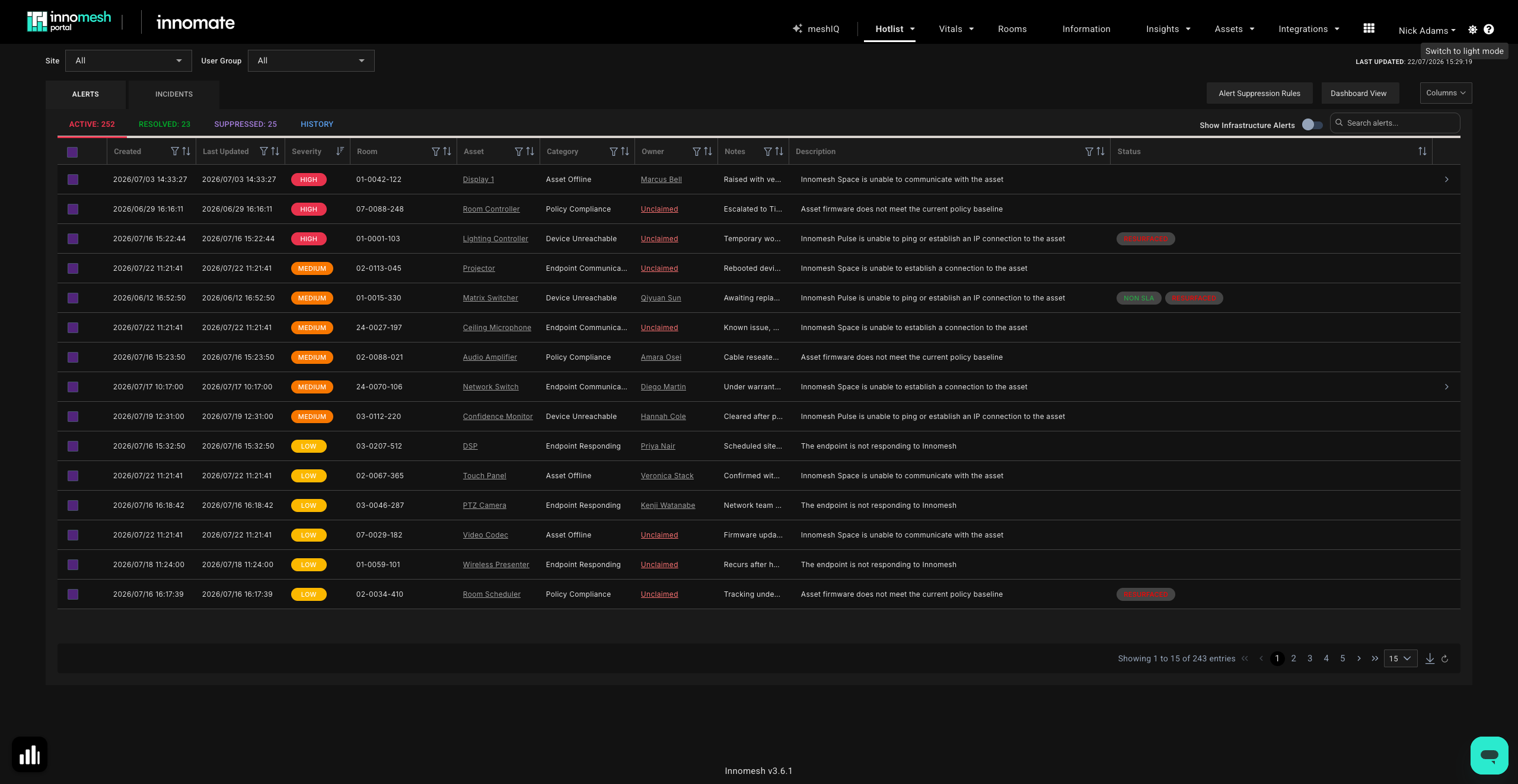 Dark
Dark 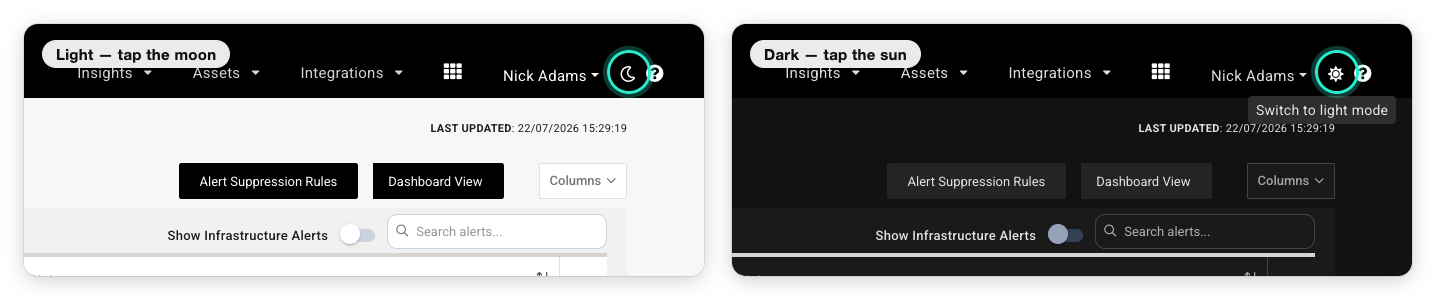
Monitoring Integrations
Appspace Integration
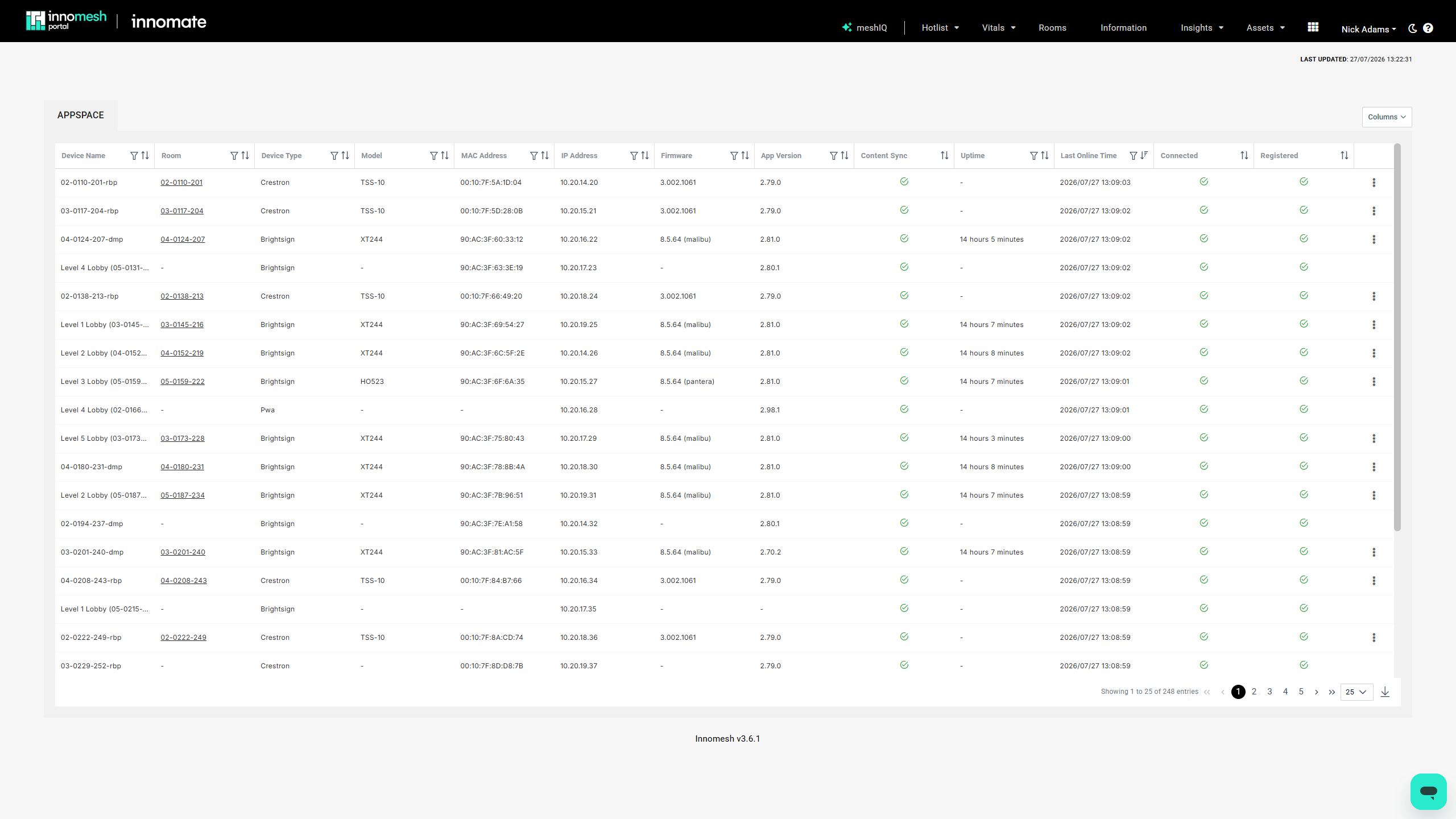
The new Appspace integration2 brings your Appspace digital signage endpoints into Innomesh Portal in a single, filterable view, creating one source of truth for signage devices and clearly surfacing any that are offline. Signage health is monitored through the Hotlist alongside the rest of your environment, so a stalled or unregistered player is caught the same way as any other device problem. The integration has been verified with BrightSign players and Crestron scheduling panels.
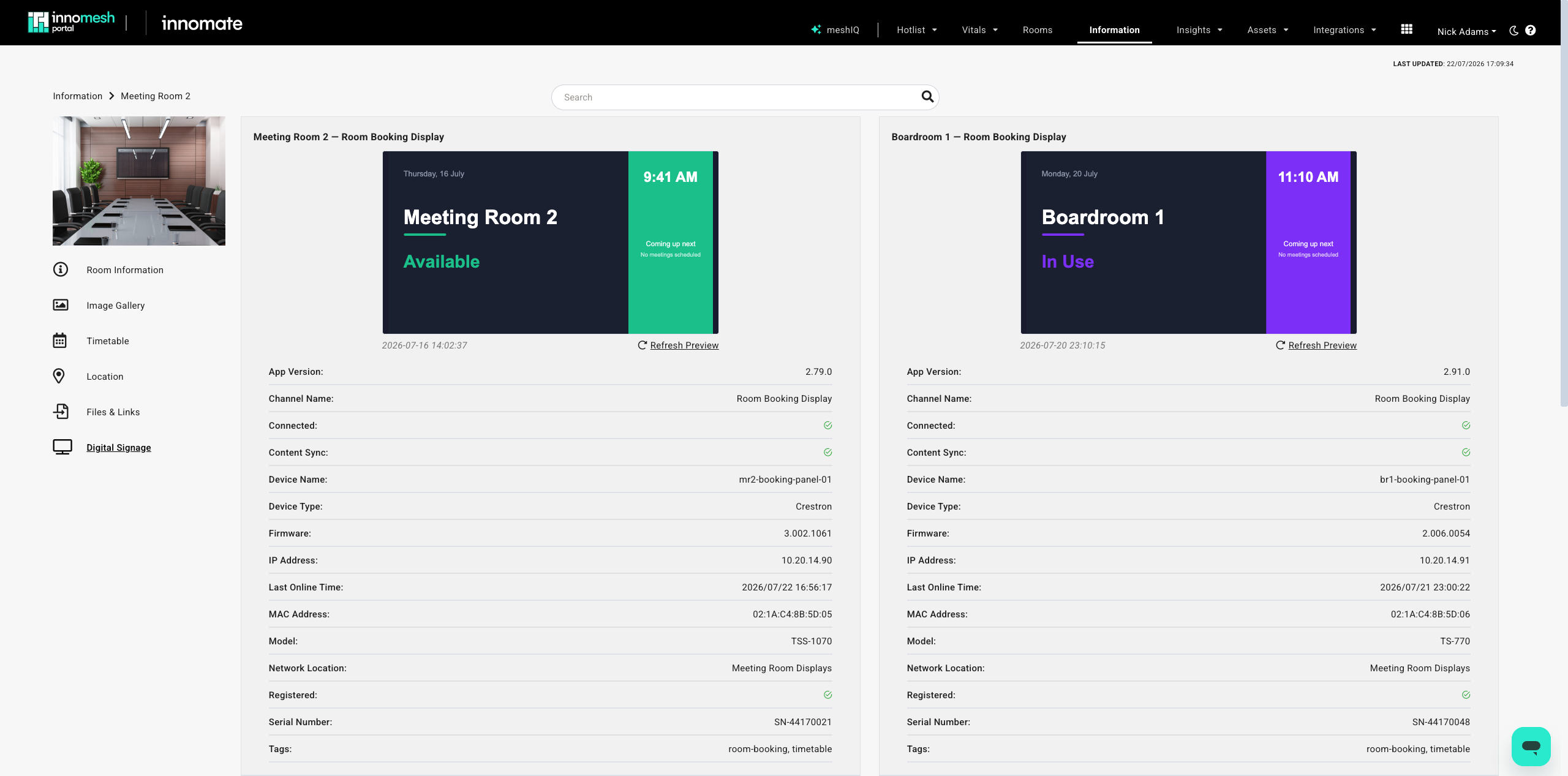
For signage linked to Sight or Space rooms, a Digital Signage tab in Room Information lets you trigger device actions and view a live preview of the current screen, with support for multiple signage devices in a single room.
Biamp SageVue Integration
The new Biamp SageVue integration2 brings health and fault monitoring for Biamp Tesira audio devices into the Innomesh Hotlist, surfacing a new class of device-health alerts so DSP issues appear and clear automatically alongside the rest of your environment. SageVue faults can also drive automation policies, scheduling corrective actions such as a device reboot within your maintenance windows.
Q-SYS Integration Uplift
The Q-SYS integration has been uplifted to fully integrate with Innomesh Sight and asset automation, improving its reliability and cohesion within Innomesh Portal. The uplift introduces centralised device logs, at-a-glance fleet health vitals (CPU, memory, disk, and uptime), clearer visibility of attached peripherals, and more reliable scheduled DSP backups, helping support teams diagnose and resolve issues faster.
Automation and Insights
Property-Based Asset Automation
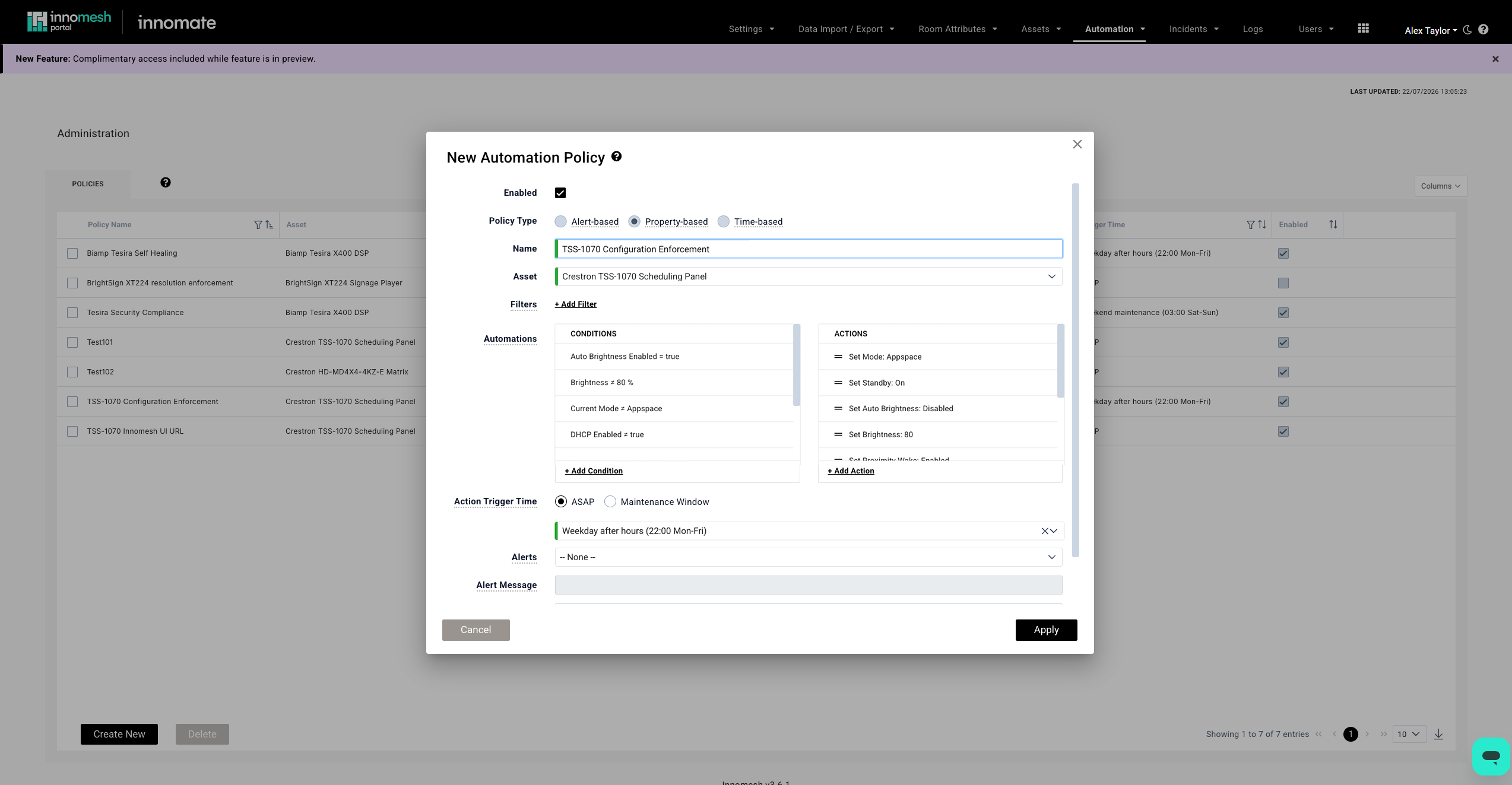
Property-based asset automation extends Innomesh’s asset management, joining the existing time-based and alert-based automation. You define the configuration a device should hold, for example an approved firmware version, the correct NTP server, or Telnet disabled, and Innomesh enforces it across the fleet. The first time a device matching the profile appears on your network, it can be provisioned automatically. If a device’s configuration later drifts from the approved baseline, Innomesh detects the drift and responds: raise a compliance alert for a technician to action, automatically reprovision the device back into alignment, or both.
The same mechanism hardens your security posture. A security setting that has been changed, such as Telnet re-enabled on a device, can be flagged as a compliance alert and corrected without waiting for someone to notice, and the alert and action history give you a continuous compliance record across the estate.
In the policy editor you select the property-based automation type, choose the target asset type, and define the conditions to match on. Corrections can run as soon as drift is detected, suiting security settings that cannot wait, or within a maintenance window (weekday, weekend, or after-hours), addressing both device onboarding and compliance monitoring. See Property-Based Automation Policies.
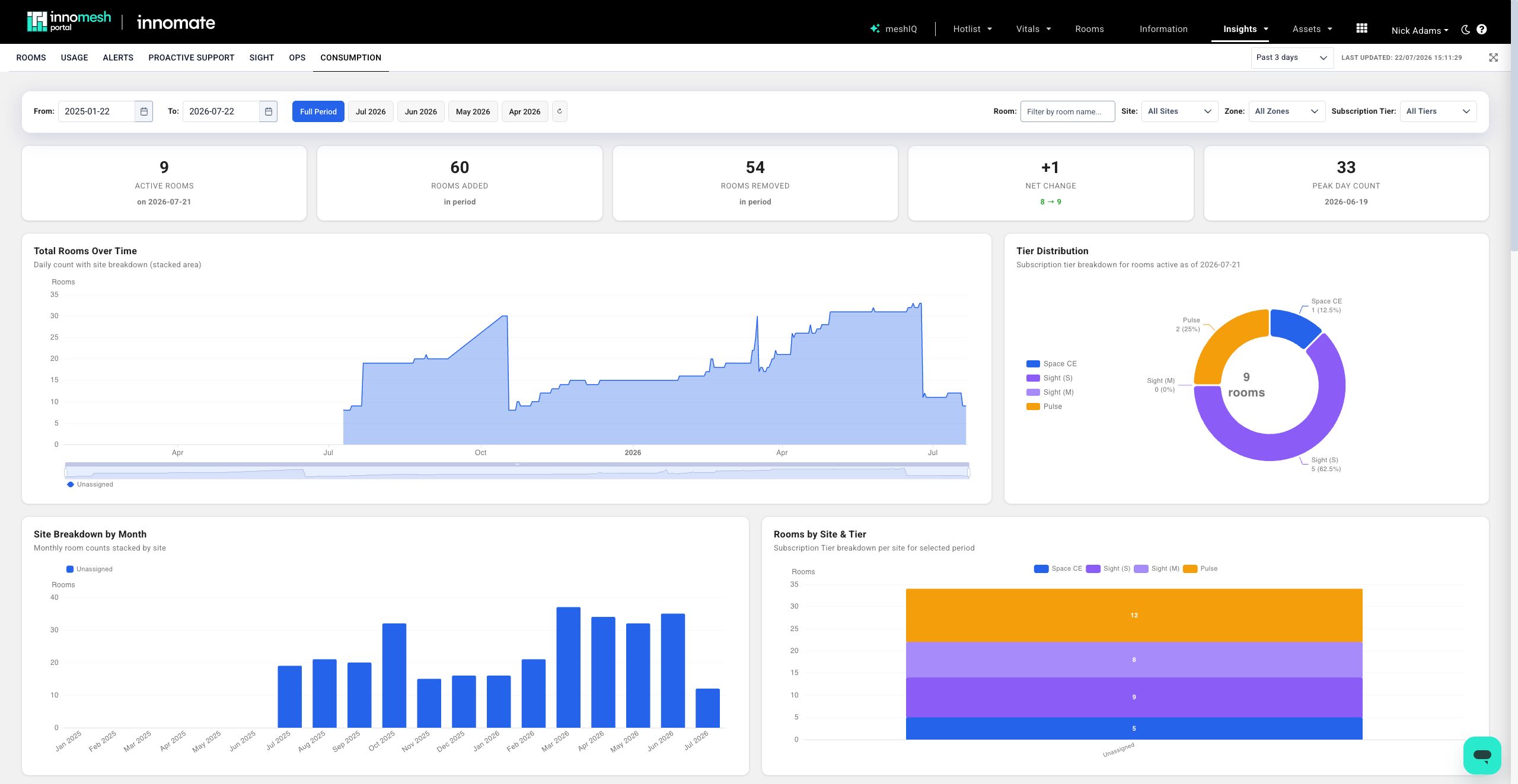
Consumption Dashboard
An uplifted Consumption dashboard gives you clearer visibility into your subscription, with room counts and a breakdown that aligns with the Sight small, medium, and large subscription sizing. Visualisations now open in a full-screen view in place of the previous tabbed layout.
Room Manager
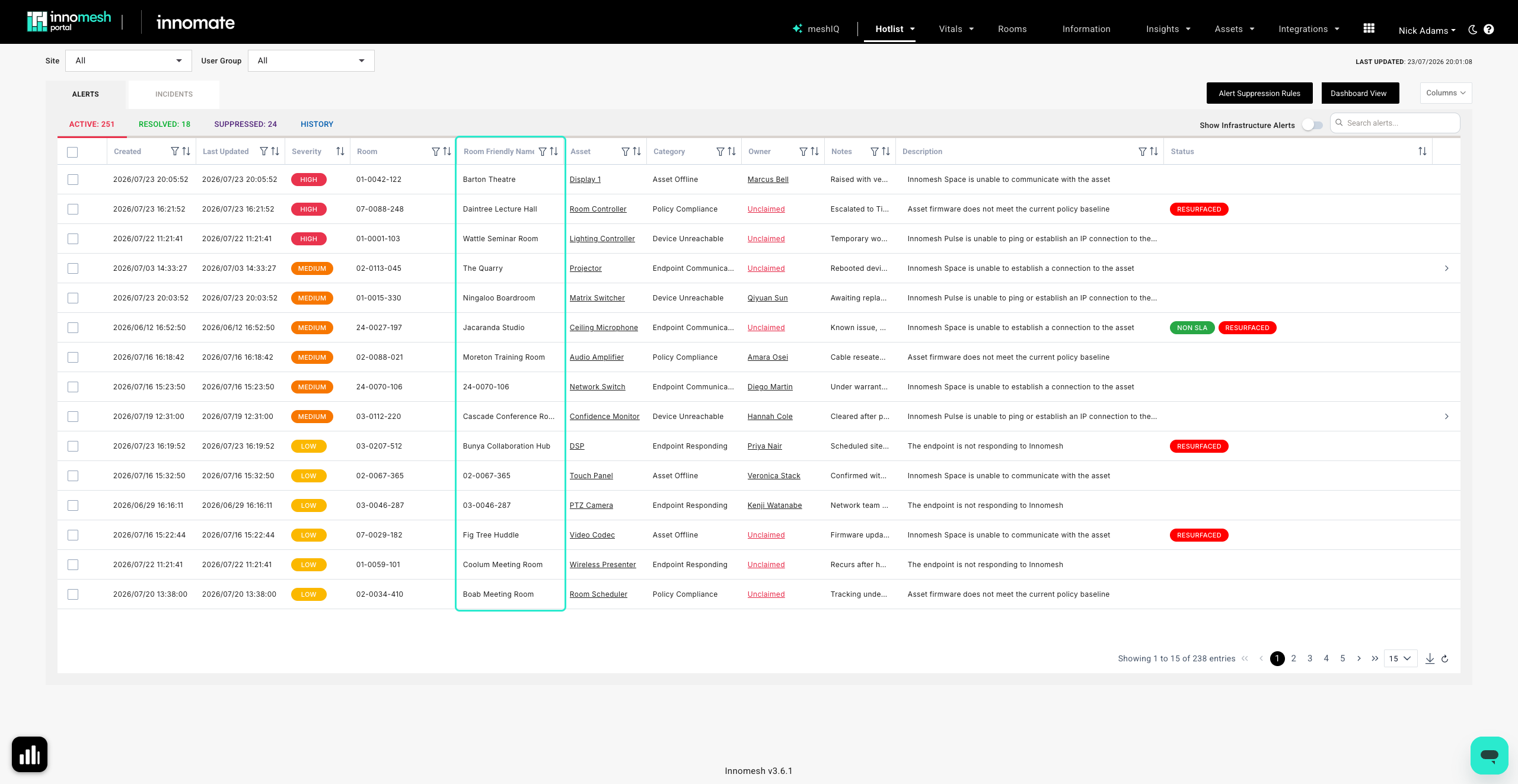
Room Friendly Names
Room friendly names are now a first-class field of Innomesh rooms and appear throughout Innomesh Room Manager and Portal, including the Hotlist, Rooms, and Information views.
Template Selection List View
In Room Manager, the template selection page now defaults to a list view that includes template descriptions. This makes templates easier to tell apart and compare than the previous image-based view.
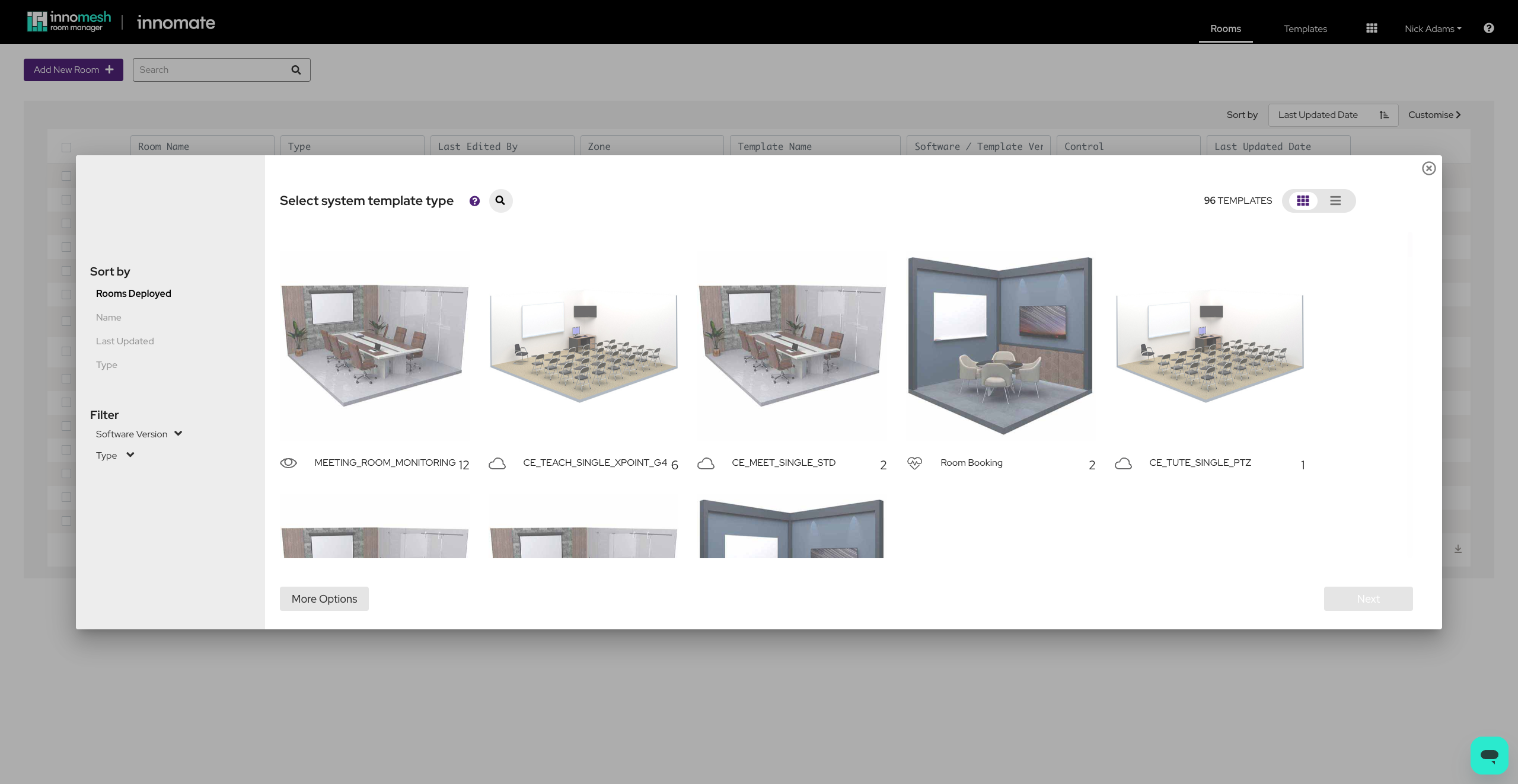 Grid (3.6.0 Default)
 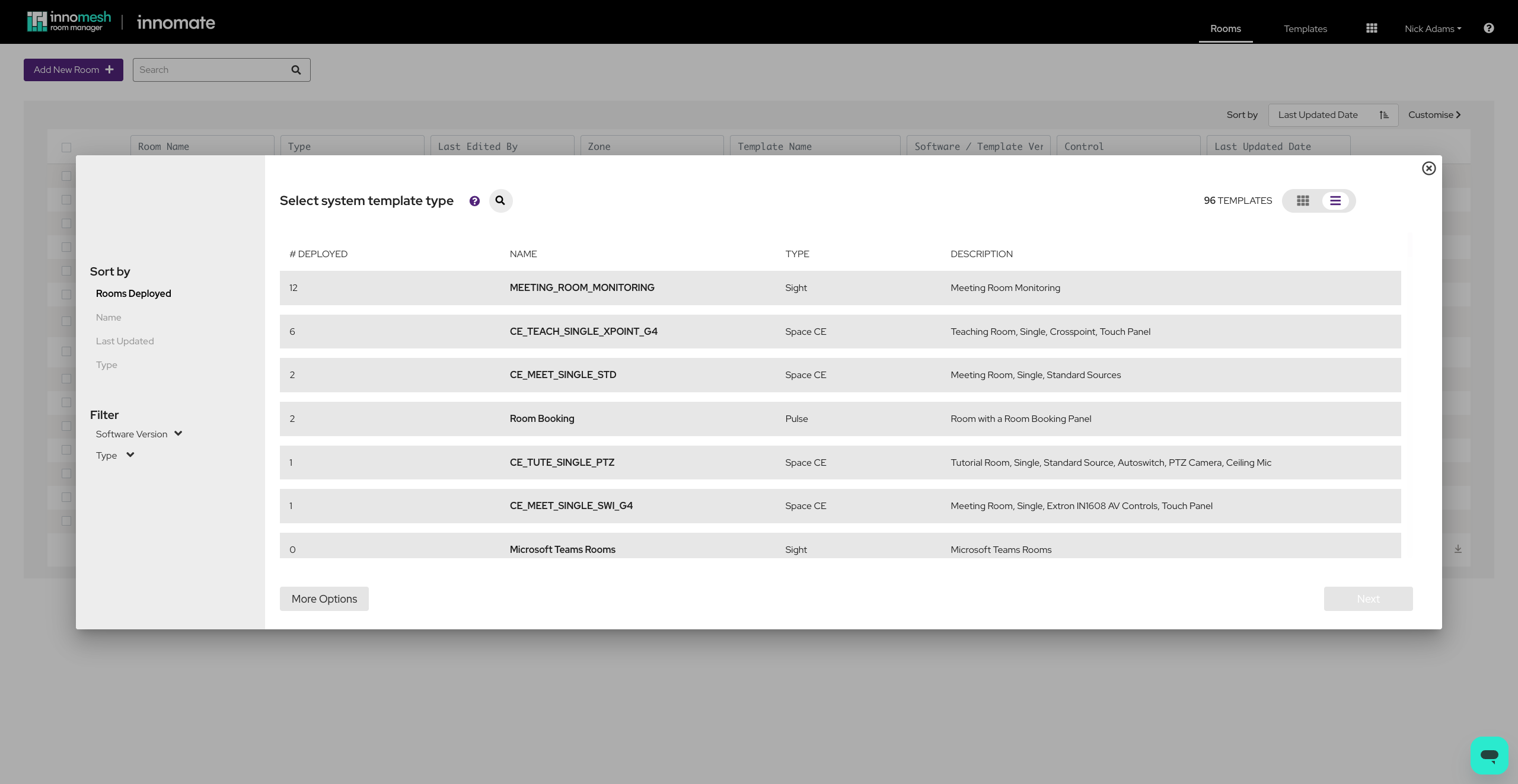 List (3.6.1 Default)
 Coming Within a Few Weeks: Live Touch Panel Previews
Live touch panel previews are coming to the Room Information view as part of this release, arriving within a few weeks of the initial rollout. They will show an embedded live image of the current display for selected brands of touch panels and UI engines.
Additional Enhancements
- Room state mapping. Room state mapping for Innomesh Sight now supports source usage tracking across multiple displays, extending monitoring of complex rooms beyond the previous one-to-one mapping.
- Refreshed platform tables. Key tables across Innomesh Portal (Rooms, Information, and others) have been refreshed with a cleaner, more responsive design and consistent column sorting and layout.
- Portal performance. Overall Innomesh Portal performance has been improved, including strategic caching of frequently used pages such as Hotlist, Rooms, Information, Assets, and Room Support View, so repeat visits feel faster.
- Expanded Platform API. The Innomesh Platform API is now much more full featured, with a significantly expanded set of endpoints spanning rooms, assets, alerts, and licensing, moving Innomesh towards a headless Portal where platform functions are accessible through the API layer.
- Accessibility improvements. A range of accessibility improvements have been made to Room Manager and Innomesh Portal, lifting WCAG 2.2 alignment to over 90% across levels A, AA, and AAA.
- Assistive technology access management.2 Administrators can now add, edit, and remove assistive technology users and assign the specific rooms each user is able to control, directly from Innomesh Portal.
- Ops file operations. Ops actions now support file operations, such as downloading log files and screenshots. This is initially available for downloading screenshots from Qbic touch panels and log files from TANlock devices.
- Dismissible notification banners. In Innomesh Portal, notification banners can now be dismissed by the user.
Bug Fixes
- In Room Manager, resolved a limitation that prevented defining multiple XPanels and web panels for rooms with multiple touch panels (for example, pod-based rooms). Larger multi-pod rooms now retain their complete configuration, removing a previous cap on the number of panels that could be stored.
- In Room Manager, template synchronisation between rooms and templates has been made more reliable:
- Pulling updates from a template now shows a preview of the merged result first. Nothing is applied to the room until you explicitly deploy, and cancelling discards the change.
- Room configuration now stays correctly in step with its software version, so new sections and options introduced by an update reliably appear.
- Settings no longer supported after a software version change are now cleaned up, and “Align room options” reliably brings a room back in line with its template.
- Pulling and pushing now behave consistently, and in the event of an error, both fail safely with a clear message rather than saving an incomplete configuration.
Footnotes
-
While in preview, meshIQ is free to use for customers, with usage limits applied. For more details, please contact your Innomesh account representative. ↩ ↩2
-
This feature needs to be manually enabled and may require a level of tenant-side configuration. If you are interested, please contact your Innomesh account representative. ↩ ↩2 ↩3