

Alert History provides a chronological record of alert events across your Innomesh environment. Use it to track when alerts were raised, claimed, suppressed, resolved, or resurfaced, and by whom. This feature was introduced in Innomesh v3.4.0.
📝 Note
Alert history records events from 23 February 2024 onwards. Events prior to this date are not available.
Viewing Alert History
Alert History can be accessed at three levels:
Individual Alert History
View the full lifecycle of a single alert, from initial trigger through to resolution.
- Open the Hotlist in Innomesh Portal.
- Click on an alert to open the Alert Details panel.
- Select the History tab.
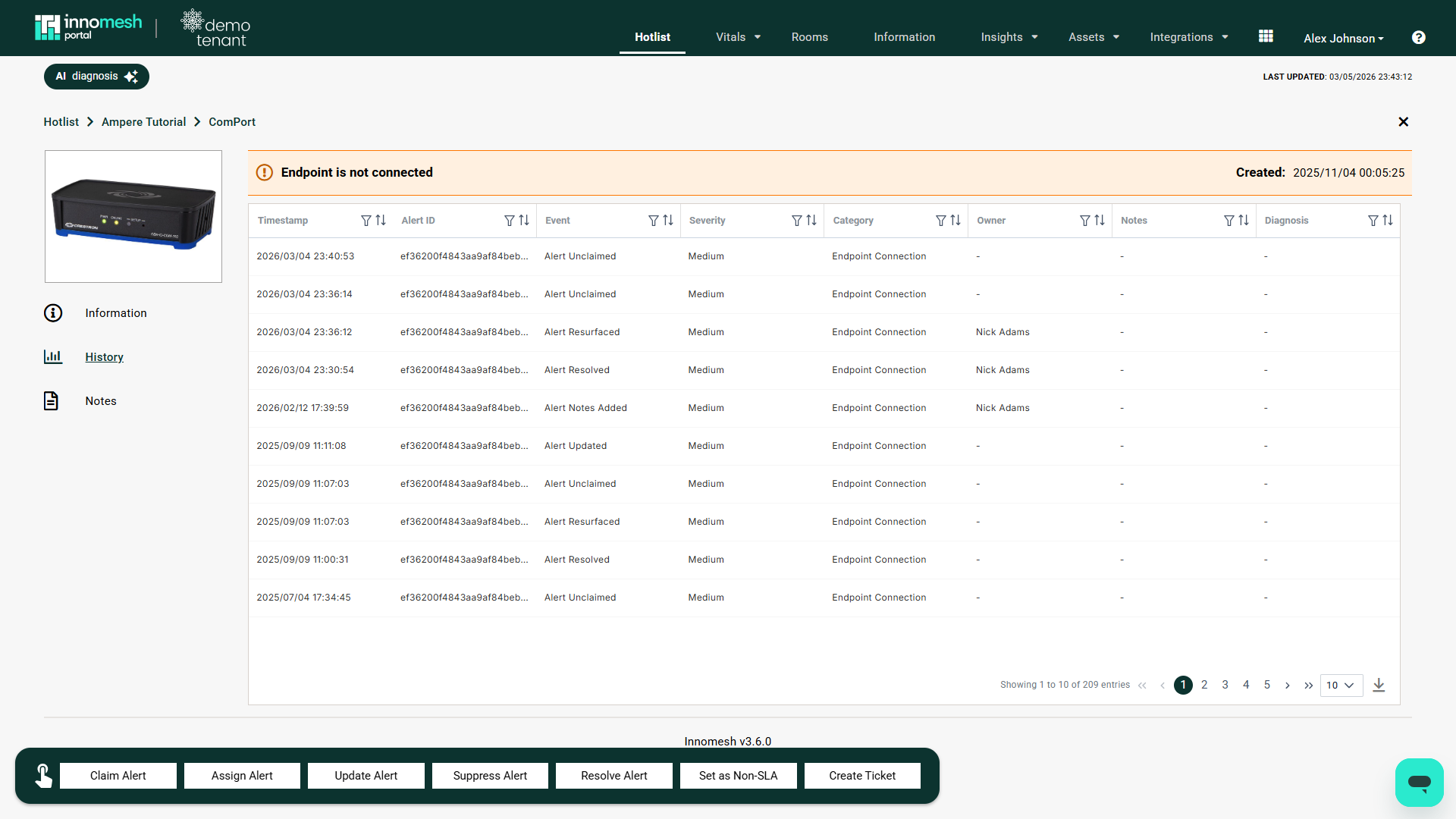 Individual alert history, Innomesh Portal
The history displays a timeline of events including:
- Raised: When the alert was first triggered
- Claimed: When a user claimed responsibility, and by whom
- Suppressed: When suppression was applied, duration, and reason
- Resolved: When the alert was marked as resolved
- Resurfaced: When the alert recurred after resolution (within 60 minutes, tagged as resurfaced)
Asset Alert History
View all alerts historically raised against a specific asset (device).
- Navigate to Assets in Innomesh Portal.
- Select an asset to open the Asset Information view.
- Select the Alerts tab to see all historical alerts for that device.
Global Alert History
View all alert events across the entire environment.
- Open the Hotlist in Innomesh Portal.
- Click the History button in the Hotlist toolbar.
- Use filters to narrow by date range, room, asset, alert category, or severity.
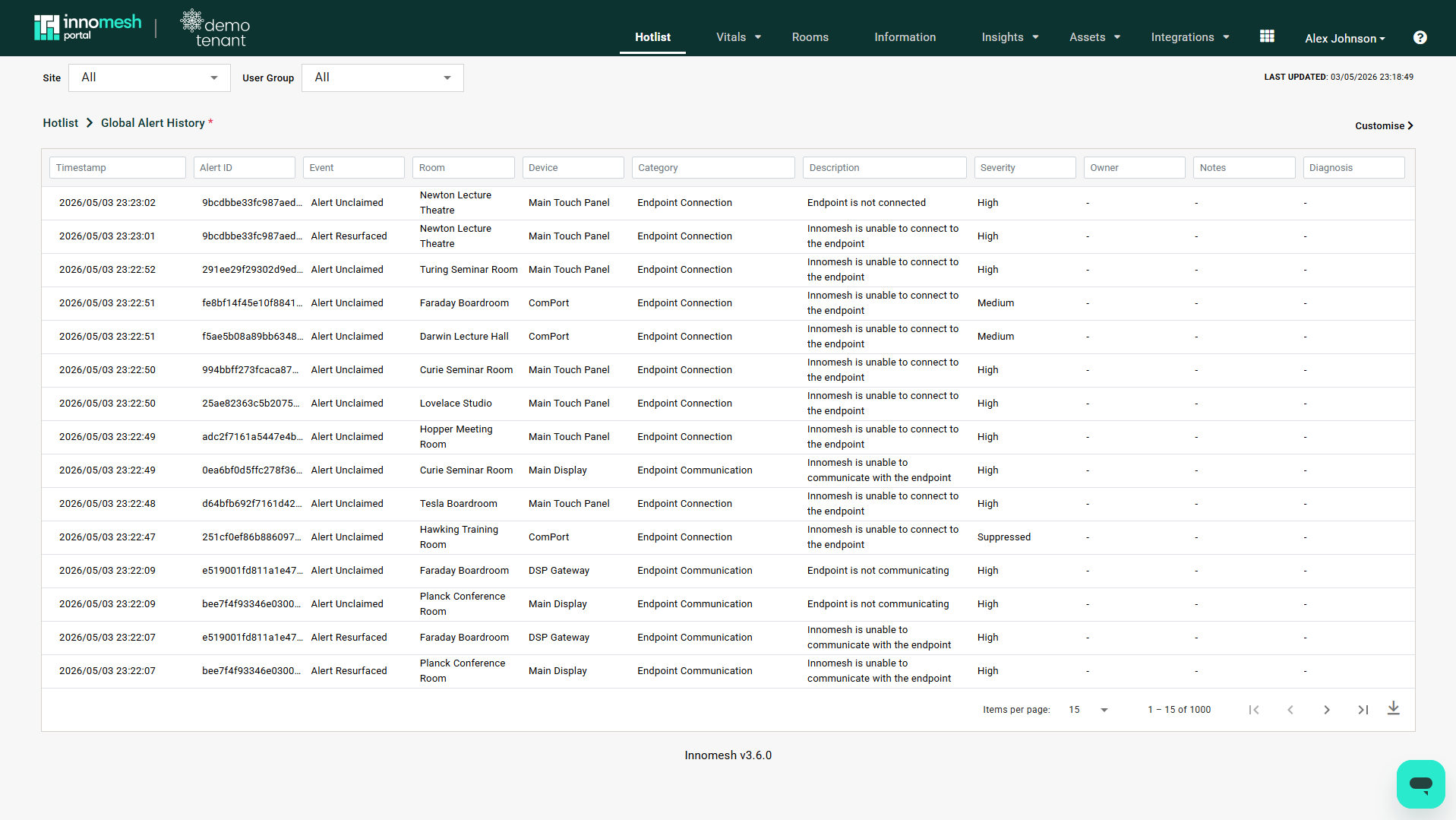 Global alert history, Innomesh Portal
History Event Types
| Event | Description | Metadata Recorded |
|---|---|---|
| Raised | Alert condition detected | Timestamp, device, severity, alert category |
| Claimed | User took ownership of the alert | Timestamp, user |
| Assigned | Alert assigned to a specific user | Timestamp, assigning user, assigned user |
| Suppressed | Alert moved to Suppressed tab | Timestamp, user, duration, reason |
| Resolved | Alert condition cleared or manually resolved | Timestamp, resolution method (auto/manual) |
| Resurfaced | Alert recurred within 60 minutes of resolution | Timestamp, tagged as resurfaced |
| Purged | Resolved alert permanently deleted | Timestamp, user |
Use Cases
- Incident investigation: Trace the full lifecycle of an alert to understand response times and actions taken
- Recurring issue identification: Spot devices or rooms that frequently resurface the same alert
- SLA reporting: Measure time-to-claim and time-to-resolution for support metrics
- Audit trail: Demonstrate that alerts were acknowledged and actioned within organisational timeframes