This guide covers the process for deploying new Pulse rooms within the Innomesh Room Manager system.
Initial Setup
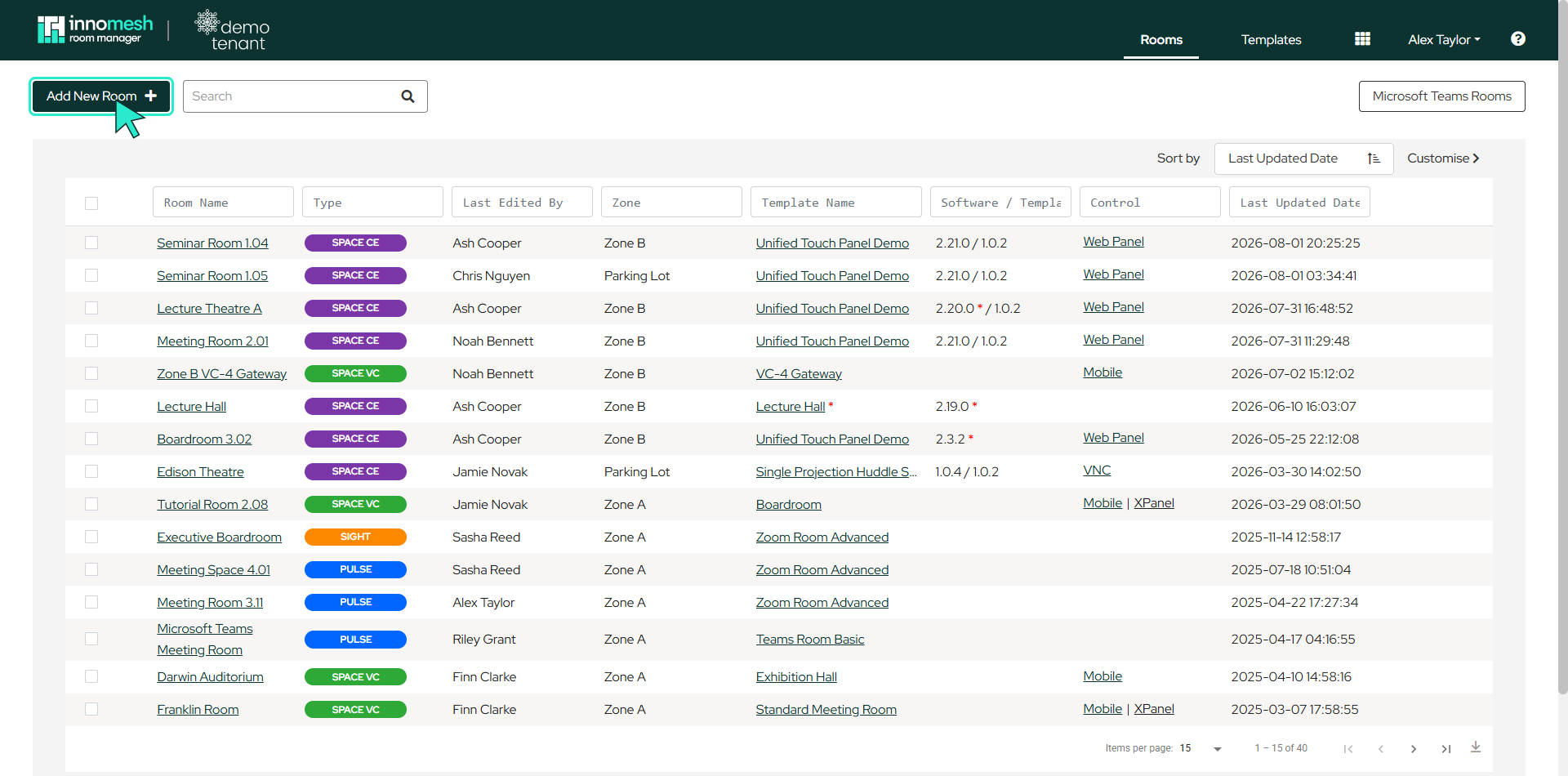
Navigate to the Room Manager Rooms page and select Add New Room in the top left corner.
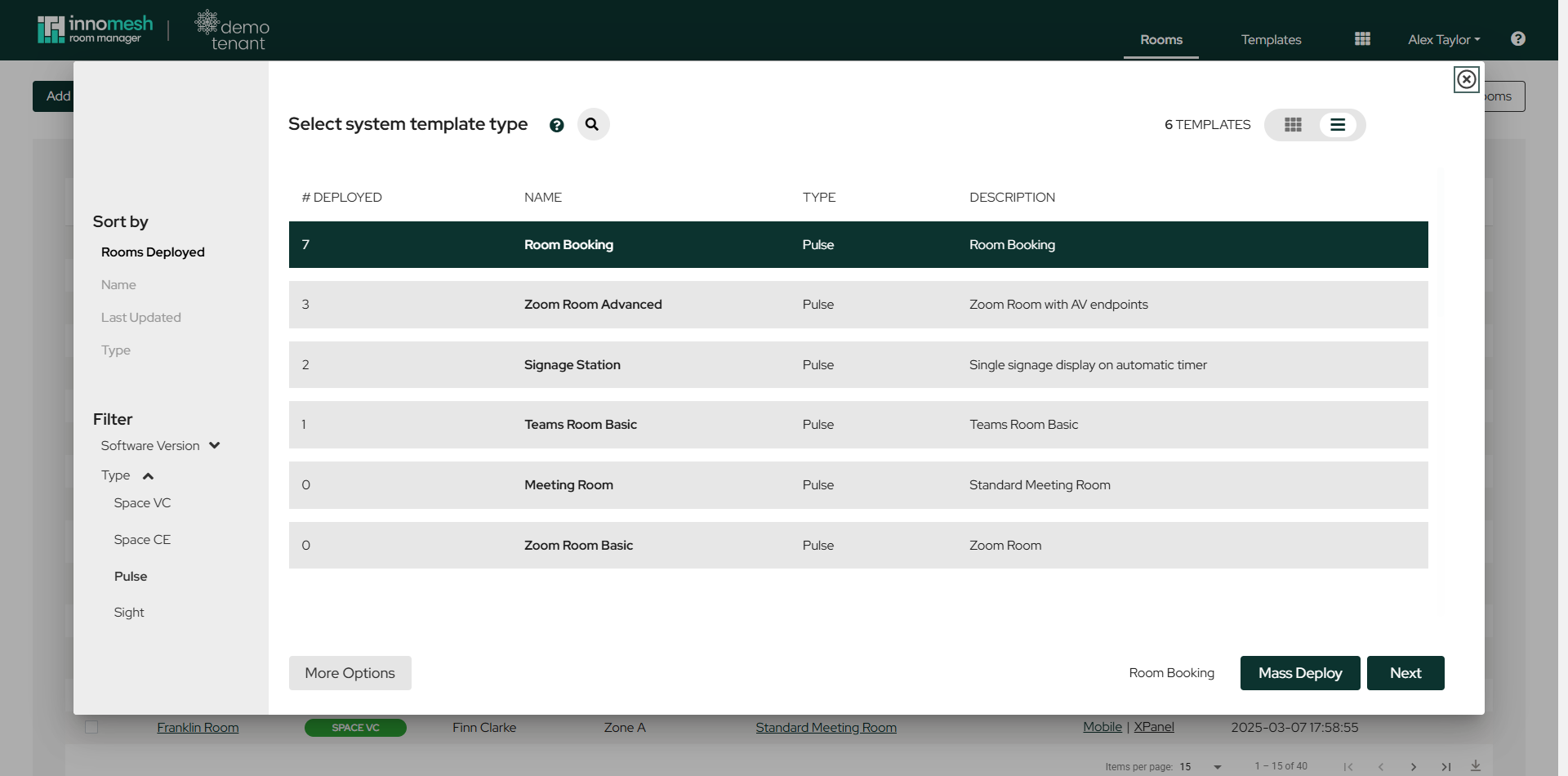
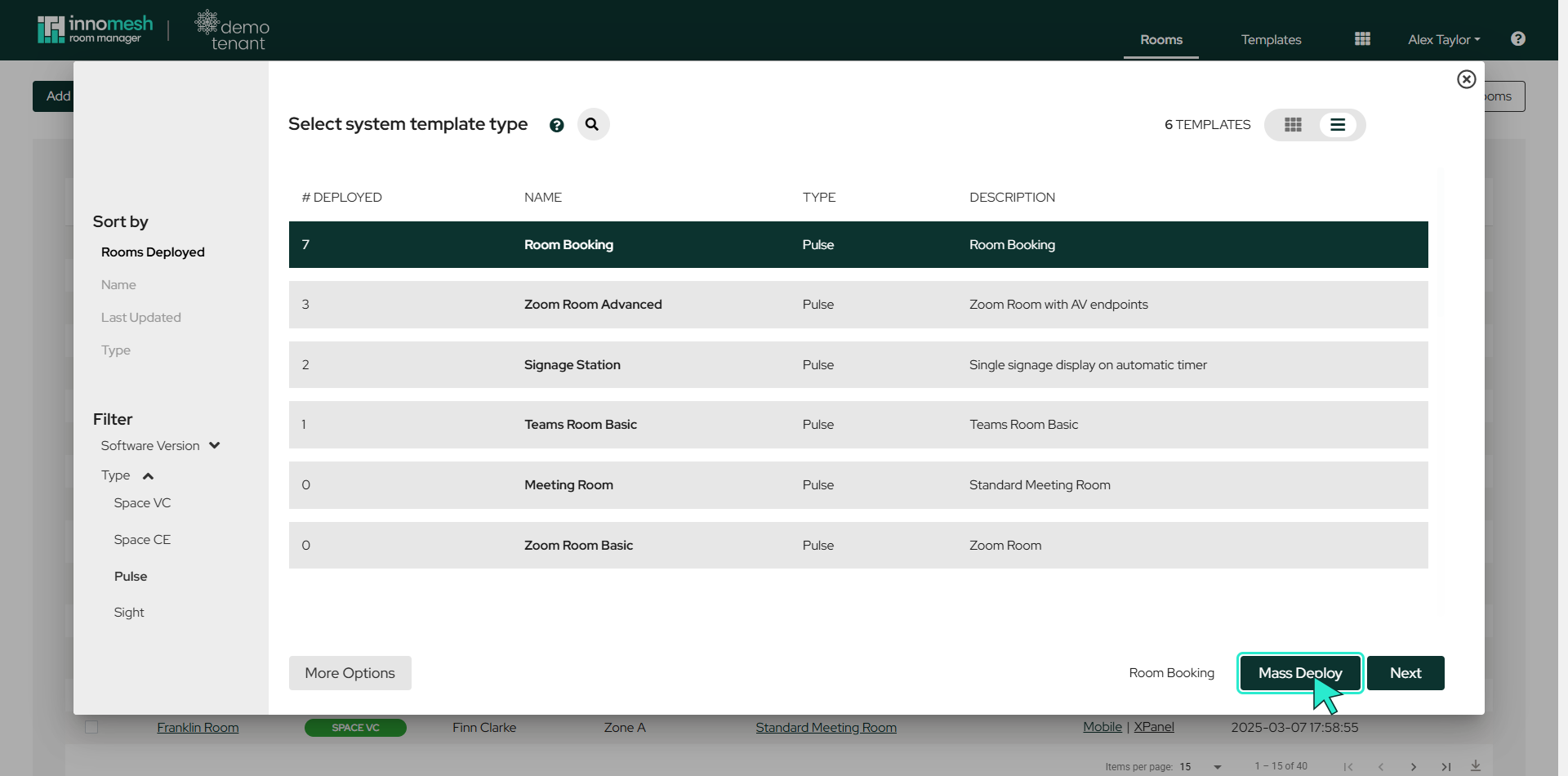
A popup lists the available templates with the number of rooms deployed from each, the template type, and its description. Use the Type filter in the sidebar to narrow the list to Pulse templates, select your desired template, and click Next.
Zone Selection
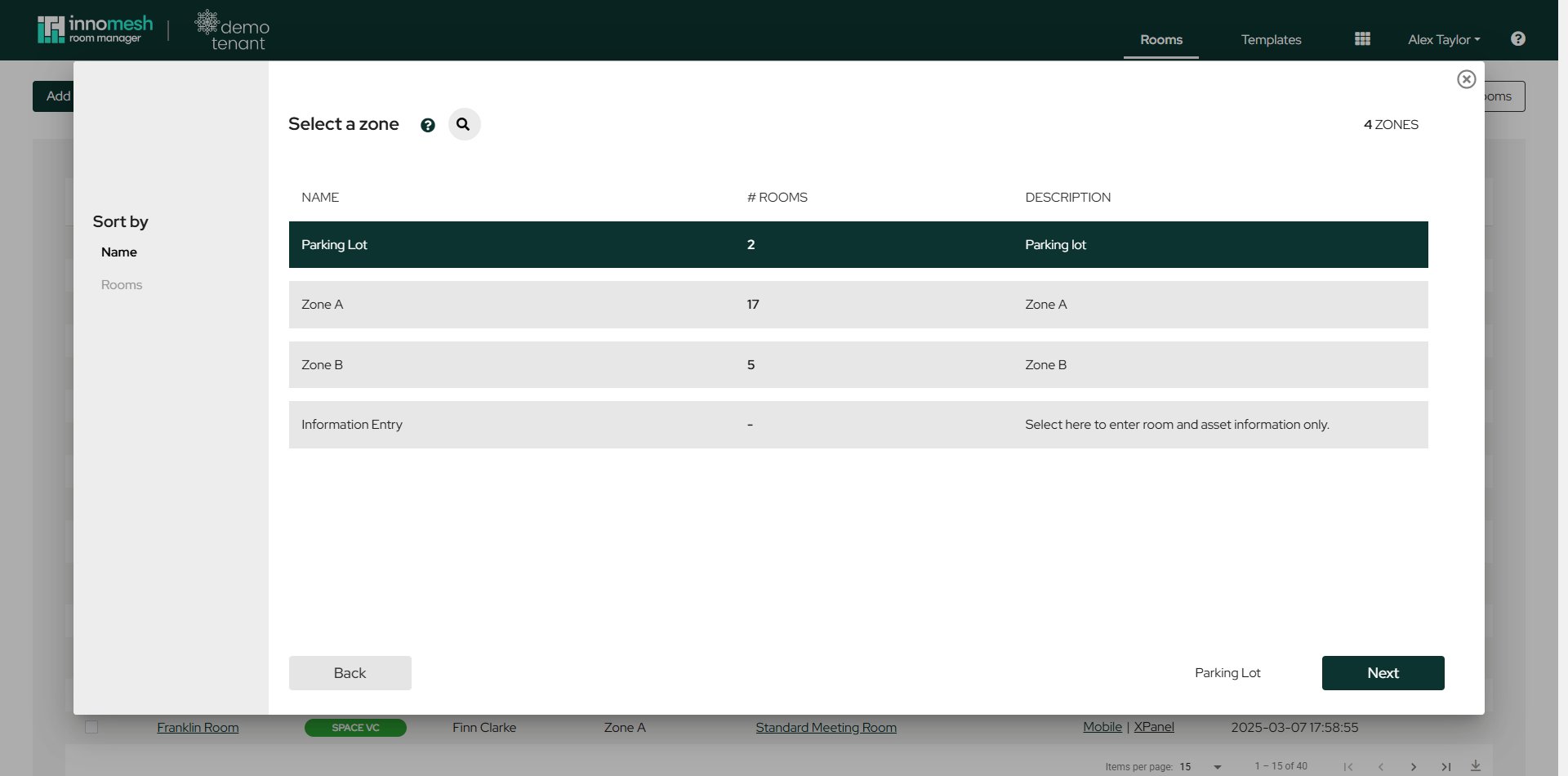
Select the appropriate zone for deployment. The Parking Lot zone stores inactive rooms with disabled functionality, which can be useful for staging. Choosing Information Entry instead creates the room for entering room and asset information only. Click Next to proceed.
Information Template
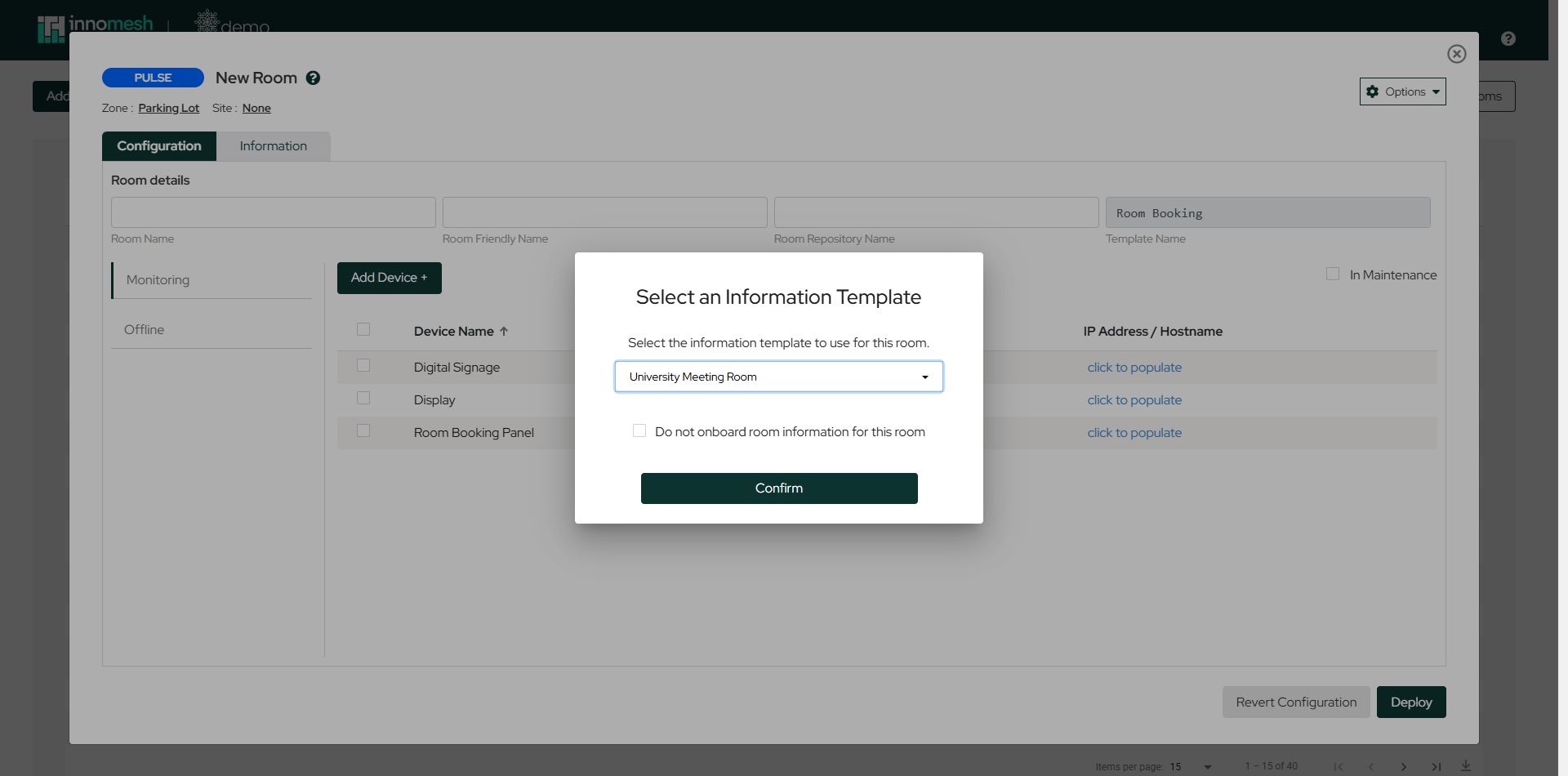
You are then prompted to choose the information template used to onboard the room’s information fields. Select a template and click Confirm, or tick Do not onboard room information for this room to skip this step. See Room Information Onboarding for how information templates work.
Main Configuration View
The configuration page includes several key elements.
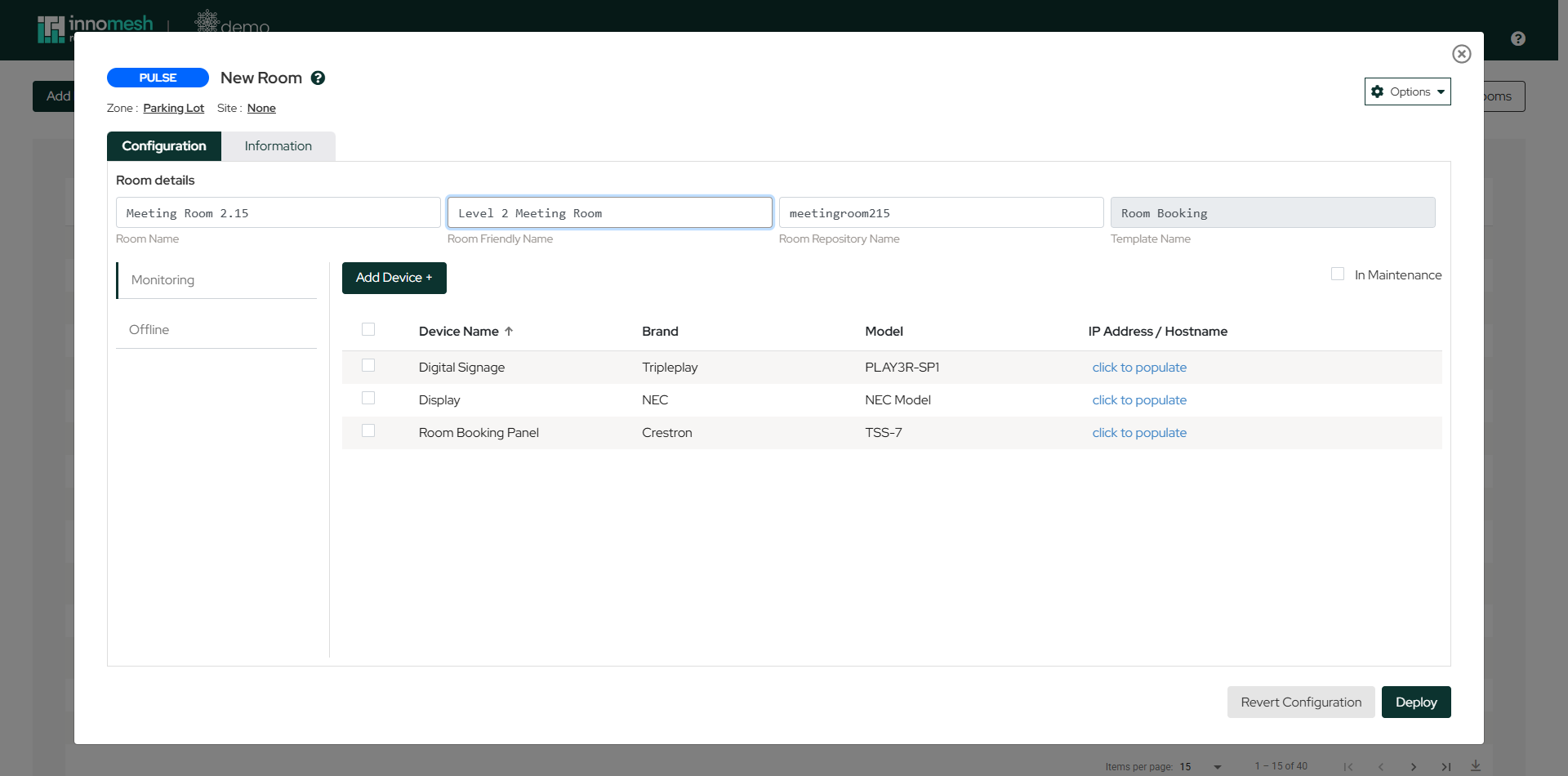
- Room Name, Room Friendly Name, and Room Repository Name: The room’s identifiers. The repository name auto-generates from the room name but can be customised before creation. Note that the repository name cannot be changed after the room is created.
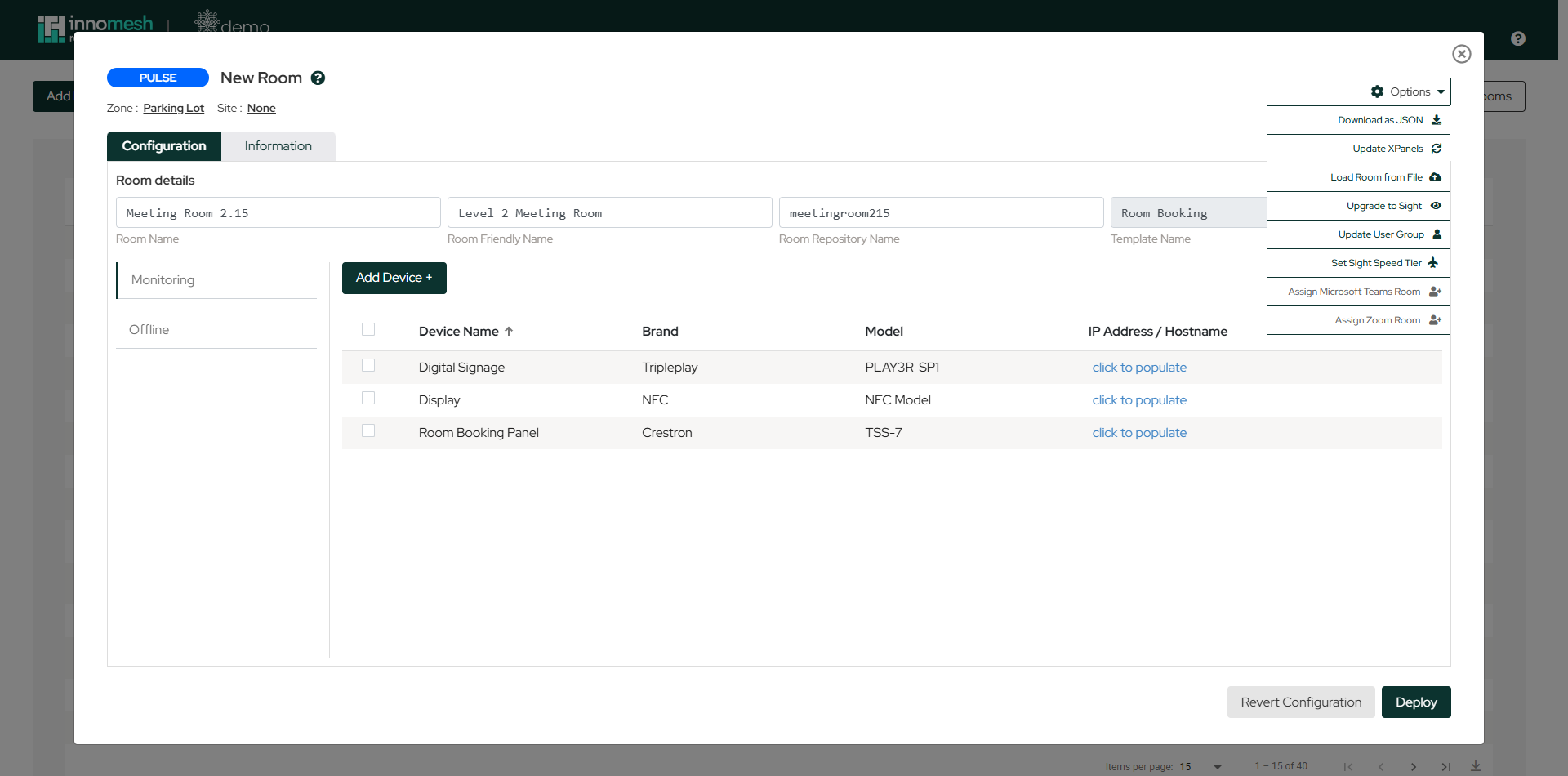
- Options Dropdown: Provides functions such as Download as JSON, Update XPanels, Load Room from File, Upgrade to Sight, Update User Group, Set Sight Speed Tier, and assigning a Microsoft Teams or Zoom Room.
- Add Device: Button to begin adding new devices to the room.
- In Maintenance: Checkbox to divert alerts to the Suppressed list when the room is non-functional or under construction.
- IP Address/Hostname: Network identification for each device. Click a device’s entry to populate it.
- Edit/Delete: Manage individual devices using the inline controls on each row.
- Deploy and Revert: Deploy configurations or undo recent changes.
Device Configuration
When adding or editing a device, the following elements are available.
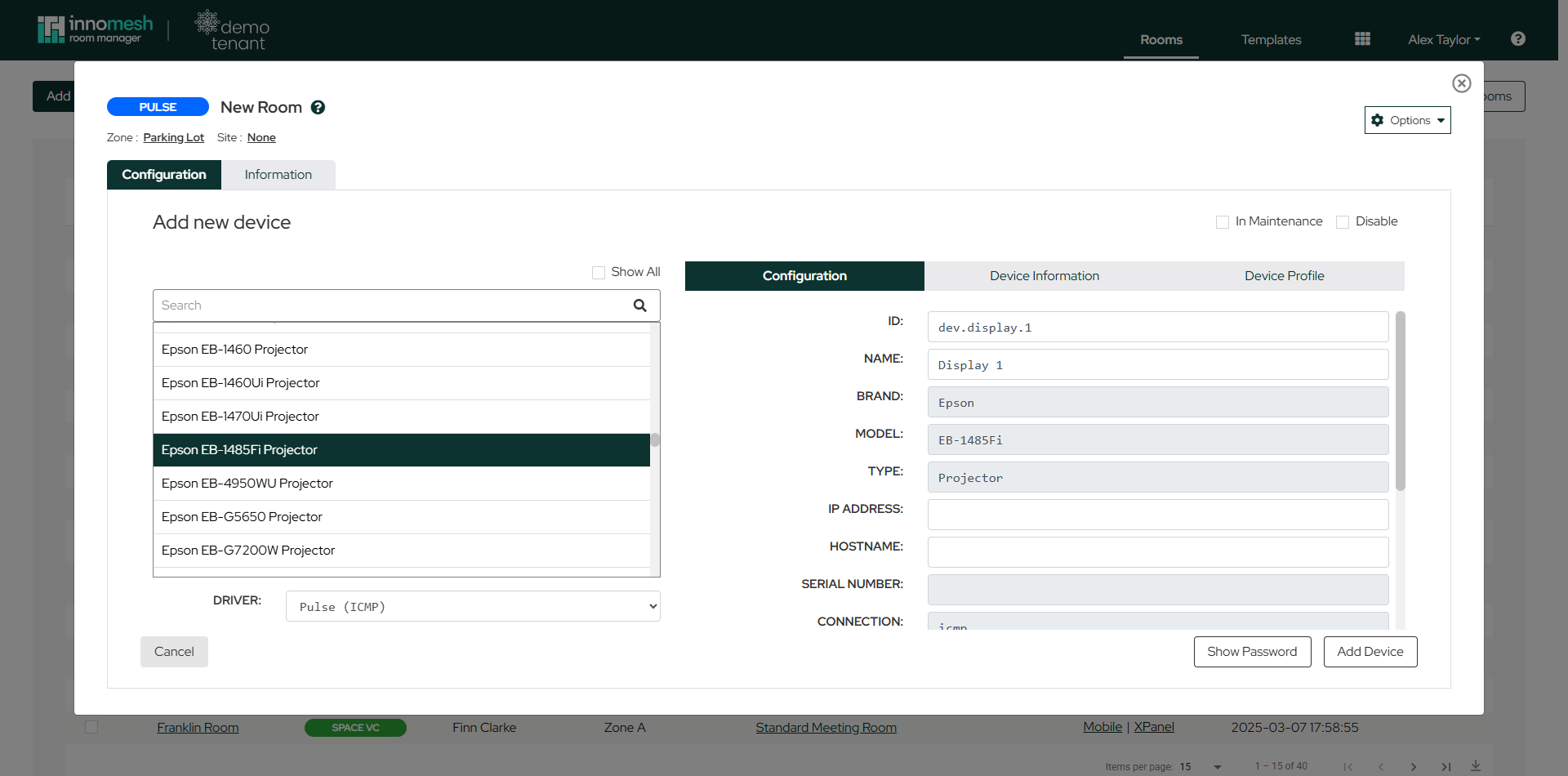
- Search Bar: Locate the asset profile that matches the device. Selecting a profile pre-populates the device’s ID, name, brand, model, and type.
- Configuration Tab: The device’s core details plus its network fields (IP address, hostname, serial number) and connection settings.
- Device Information Tab: Network and hardware details such as IP, hostname, firmware version, and MAC address.
- Device Profile Tab: Detailed device specifications.
- Driver Section: Displays the selected device driver and connection type, for example Pulse (ICMP).
- In Maintenance/Disable: Suppress alerts or disable the device as needed.
- Add/Update Device Button: Confirm and apply the configuration.
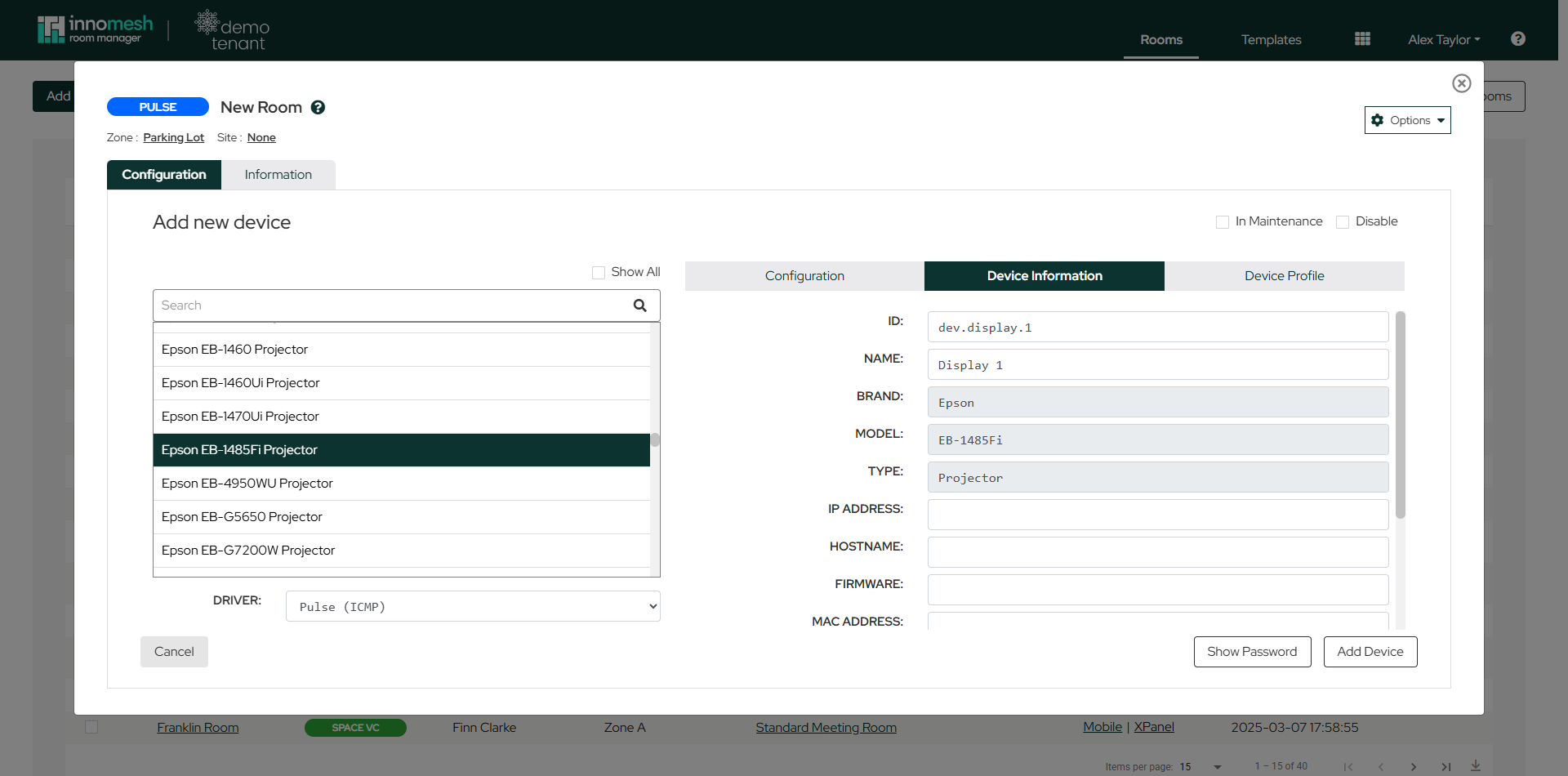
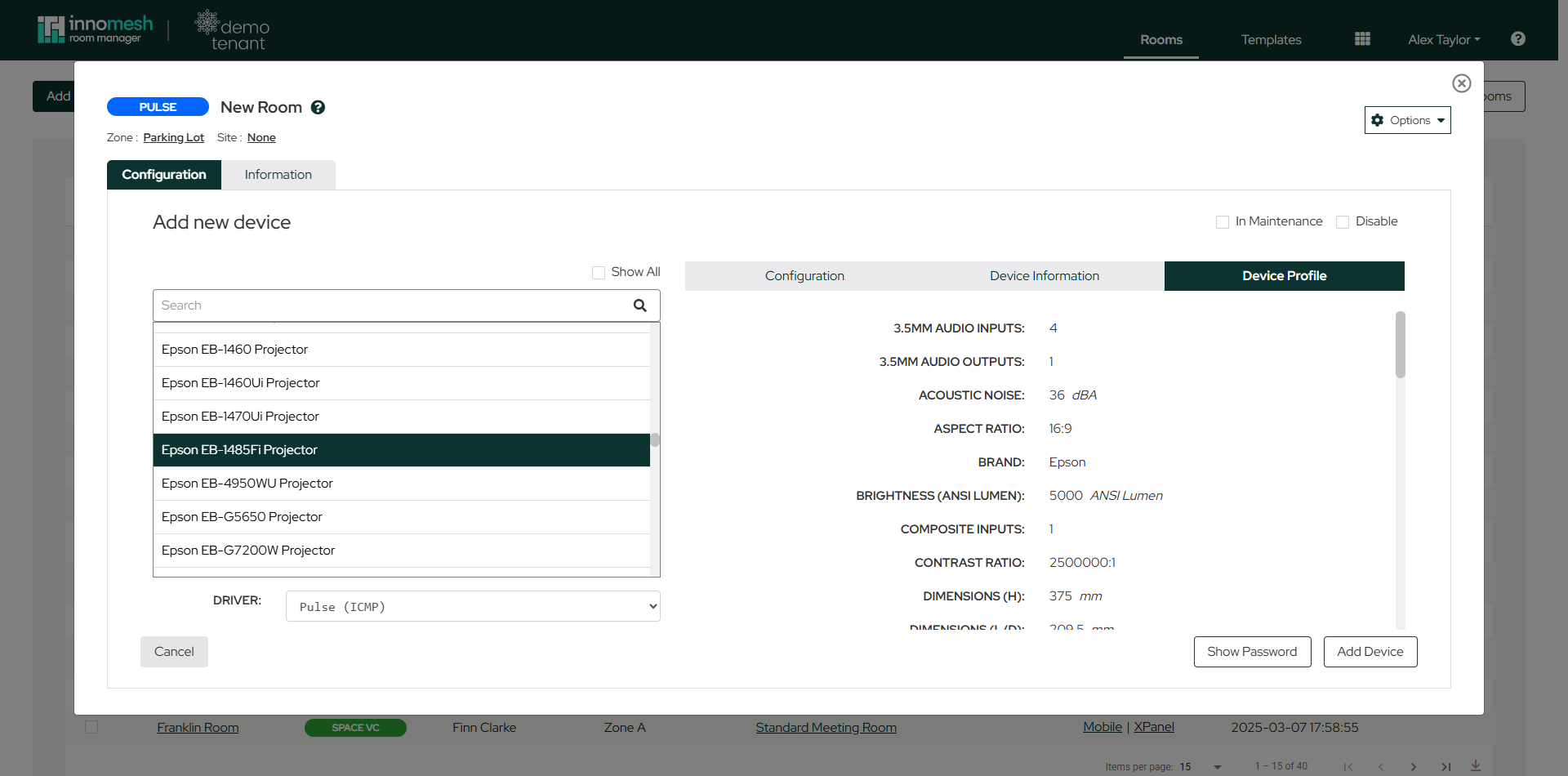
Model numbers are strongly recommended. Adding a model number enables features such as Sight monitoring and Asset Profiles.
Mass Deployment
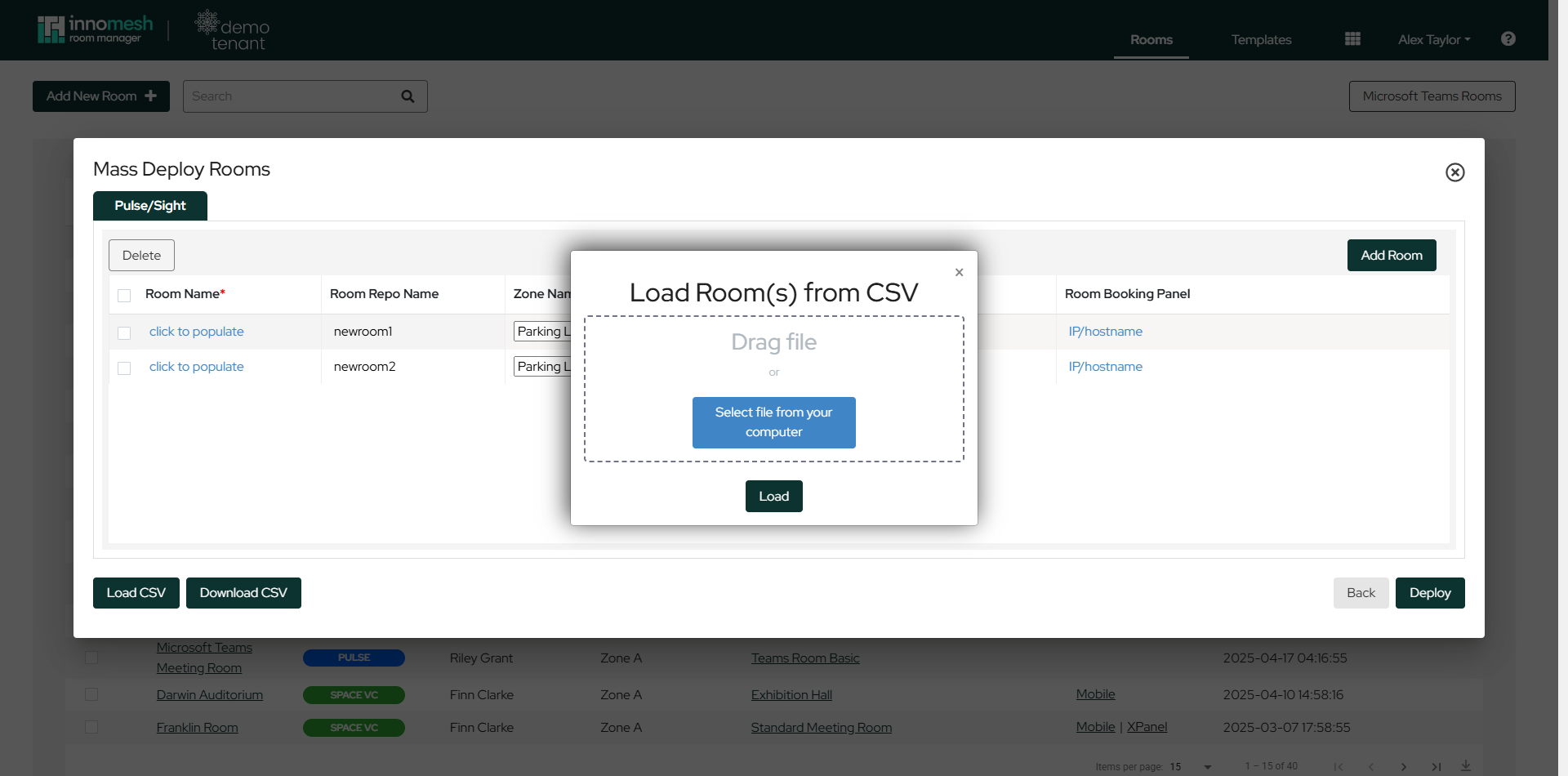
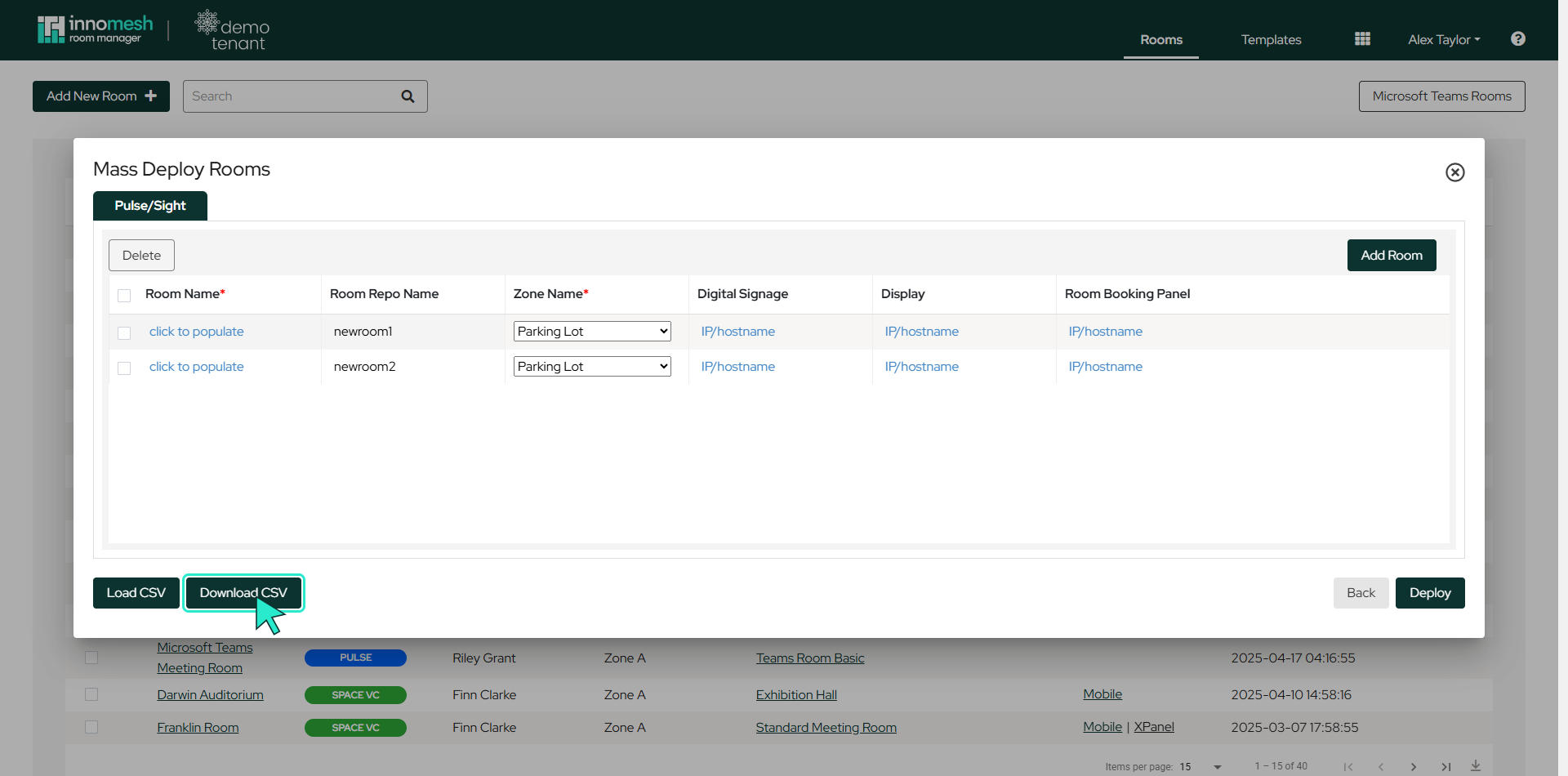
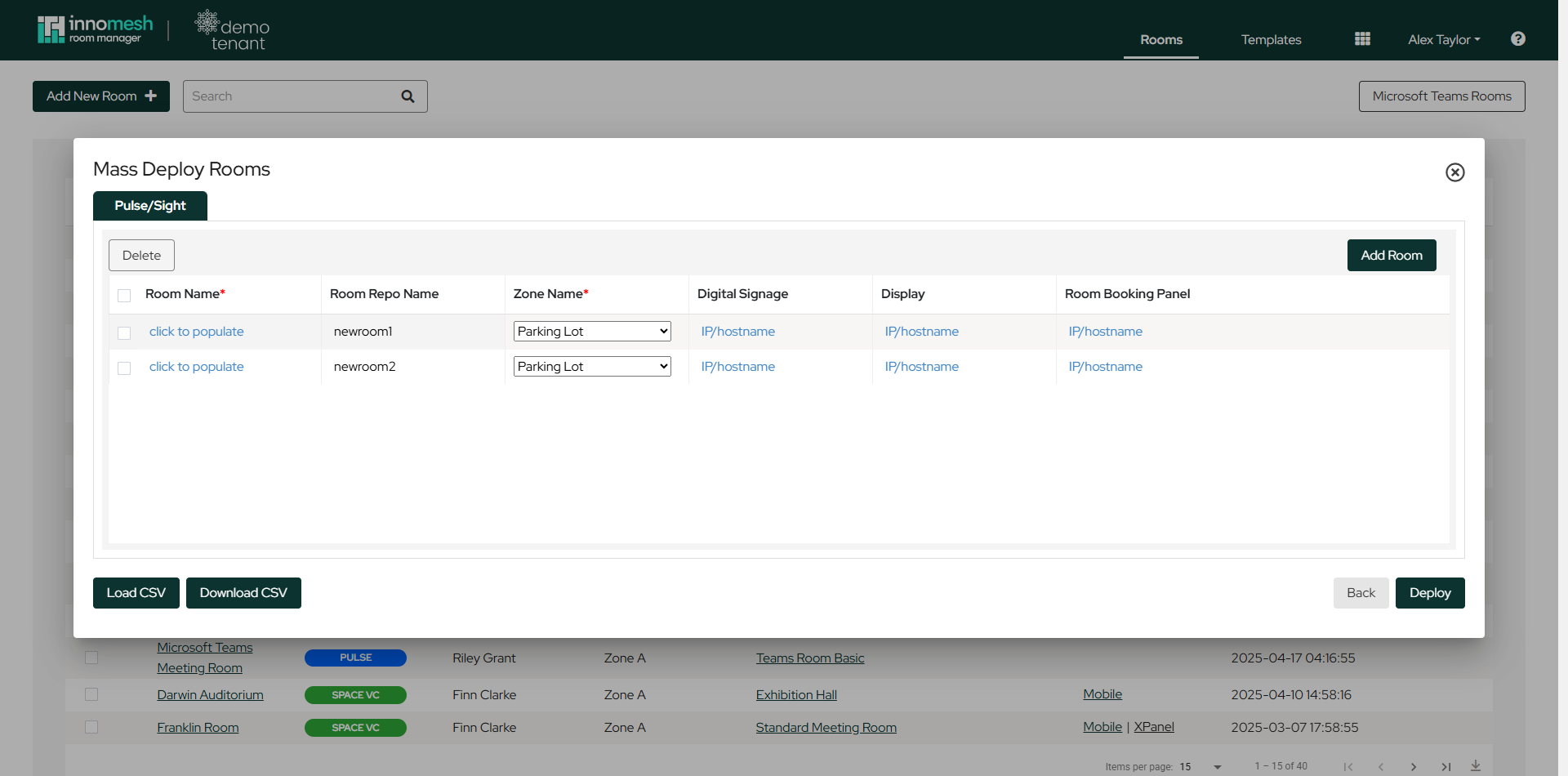
To mass deploy Pulse rooms, navigate to the Rooms tab and click Add New Room in the top left of the page. Select the template to deploy, then click the Mass Deploy button in the bottom right of the window to open the mass-deployment view.
From the mass-deployment view you can:
- Add rooms: Use the button in the top right corner of the window.
- CSV operations: Load a CSV or download the current configuration to CSV from the bottom left.
- Bulk deployment: Deploy all configured rooms using the button in the bottom right corner.
CSV Requirements
CSV files must contain three columns (Room Name, Room Repo Name, Zone) plus one column per device. It is recommended to download an existing CSV first to see the correct format.
Deploy rooms to the Parking Lot zone initially to prevent offline device alerts from reaching the Portal Hotlist.