

Device Configuration Enforcement is a governance feature that restricts which device profiles can be added to rooms. By defining an approved device list at the template level, organisations can ensure rooms use only standardised hardware while reducing the risk of configuration errors.
This feature is available for Space VC, Space CE, Sight, and Pulse templates.
Restricting Devices on a Template
To configure device restrictions on a template:
- Navigate to the Templates page and open the template you wish to configure.
- Hover over the Options menu in the top-right corner and select Set Available Devices.
- Enable the Restrict devices that are available to this template checkbox.
- The interface displays two lists: available (permitted) devices and restricted devices.
- Use the Add, Remove, and Clear All buttons to move device profiles between the two lists.
- Click OK to confirm the selection in the dialog.
- Click Update on the main template edit page to save the changes.
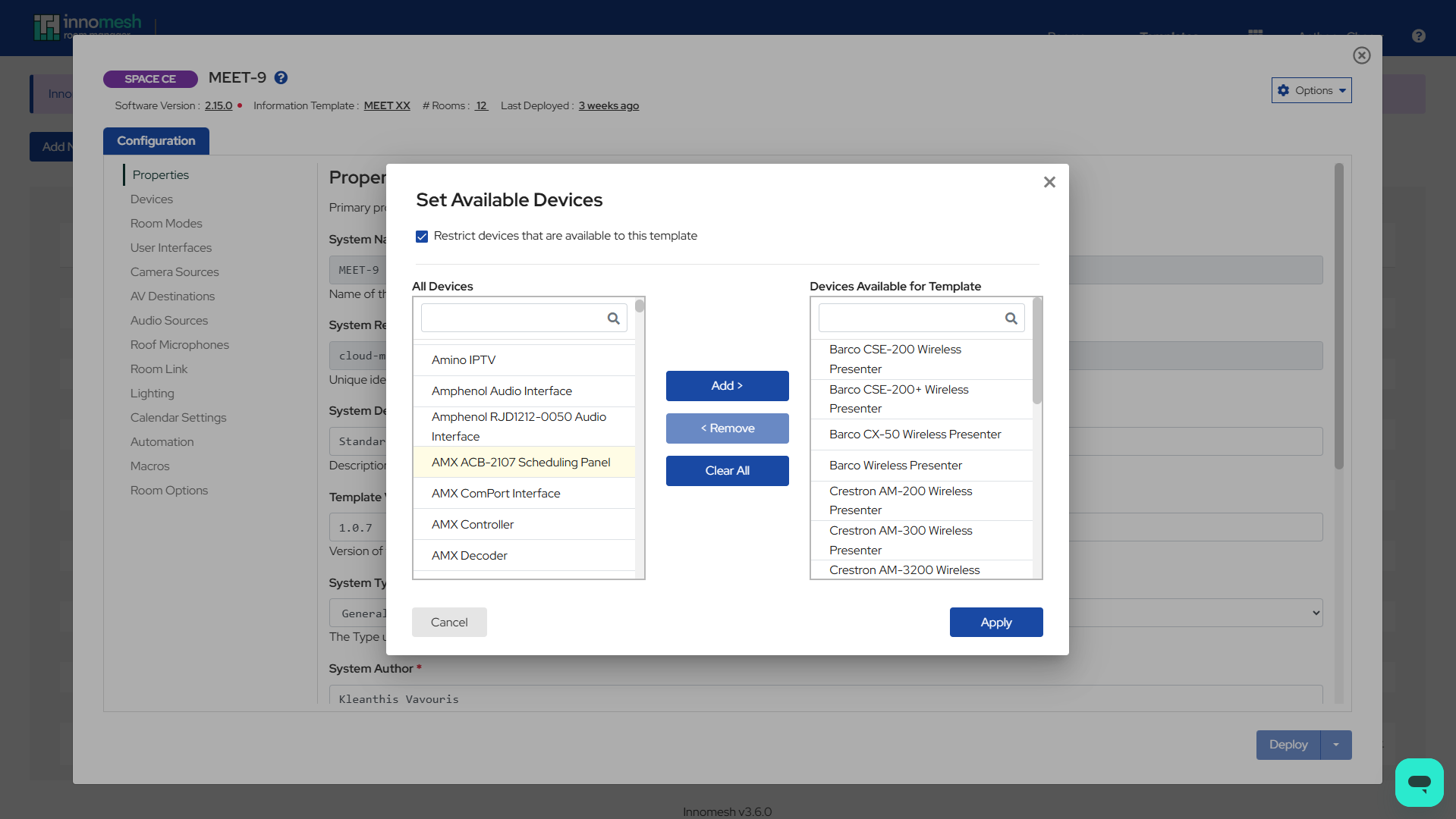 Set Available Devices – Innomesh Room Manager
How Restrictions Work in Rooms
Once device restrictions are configured on a template, rooms created from that template will only display permitted device profiles when adding new devices. The system combines template restrictions with starred device profiles: both criteria must be met for a device profile to appear in the selection list.
Important: Existing devices already present in a room are not removed when the restriction list is updated. The enforcement applies only to new device additions.
Show All Devices Override
A Show All toggle is available in the device selection interface, allowing authorised users to bypass restrictions and view all device profiles. This feature is permission-controlled and managed separately for templates and rooms.
Permissions
Two role-based access control (RBAC) permissions govern the Show All Devices override:
- Show All Devices (Template): Allows the user to override device restrictions when editing templates.
- Show All Devices (Room): Allows the user to override device restrictions when editing rooms.
These permissions are managed through the Innomesh Portal Administration page. Only assign these permissions to users who need the ability to bypass device restrictions, such as senior administrators or system architects.