

Innomesh v3.3.0
Innomesh v3.3.0 was released to production on 06/01/2024. v3.3.1 followed on 02/02/2024.
New Features
Role Based Access Control (RBAC)
Innomesh administrators now have the capability of managing user permissions for Innomesh Room Manager and Portal. This includes defining user “roles” to specify detailed access permissions to Innomesh Room Manager and Portal, and assigning users with roles to grant them access. Additionally, the introduction of SAML roles enables automatic authorisation into Innomesh Room Manager and Portal for users authenticated through Single Sign-On (SSO) that is federated to their organisation.
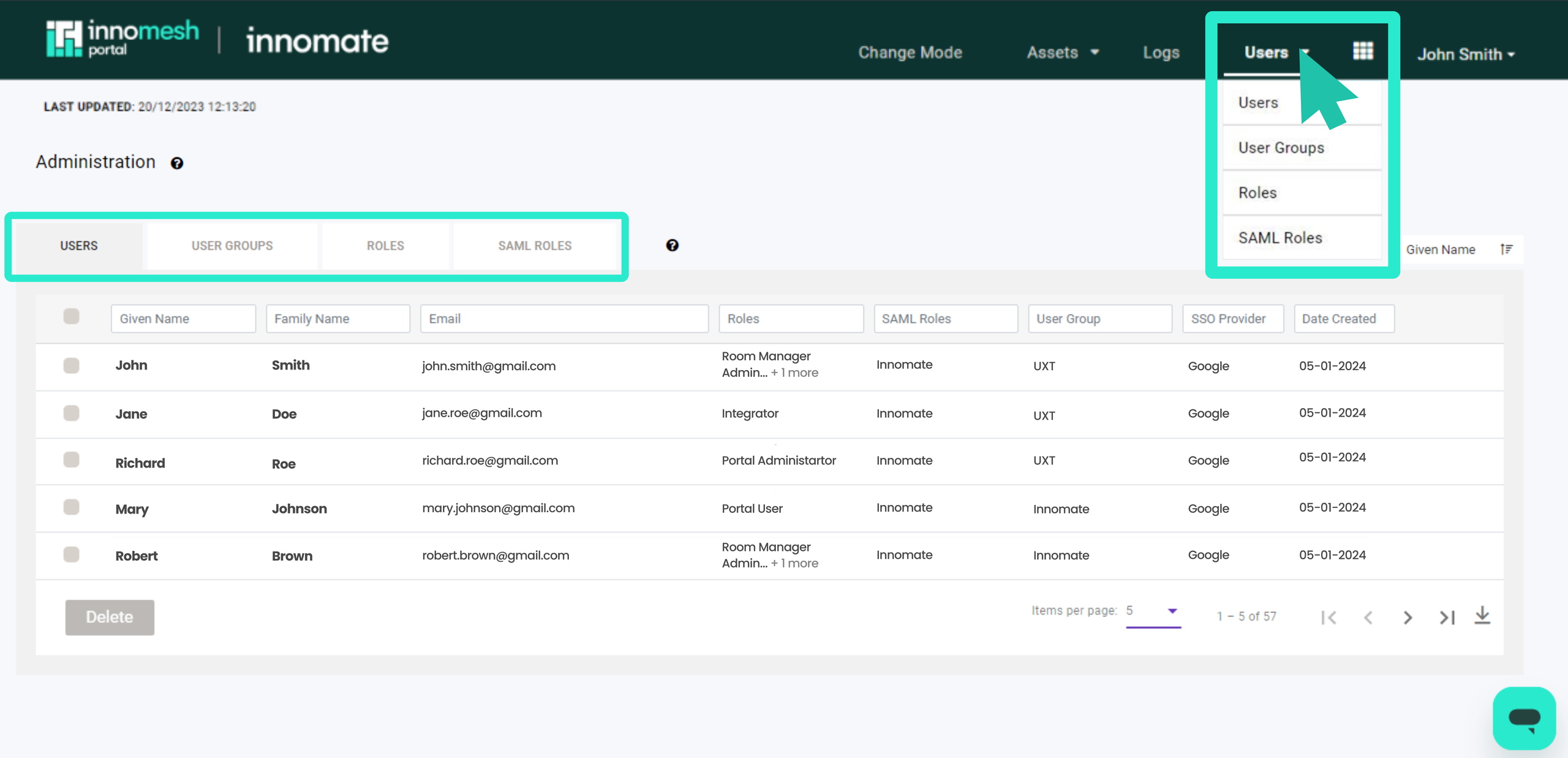 Role Based Access Control (RBAC) allows you to seamlessly manage access and permissions for both groups and individuals in one centralised location.
Access this feature from Innomesh Portal by selecting “Administration” from the dropdown menu when hovering over your name.
Site Filter
A new concept of a “site” is now introduced, allowing categorisation of rooms based on physical location, such as campus or city. Users can now filter rooms by site in Innomesh Room Manager and Portal, with the ability to restrict user access to specific sites.
 You can now filter sites through Innomesh Portal.
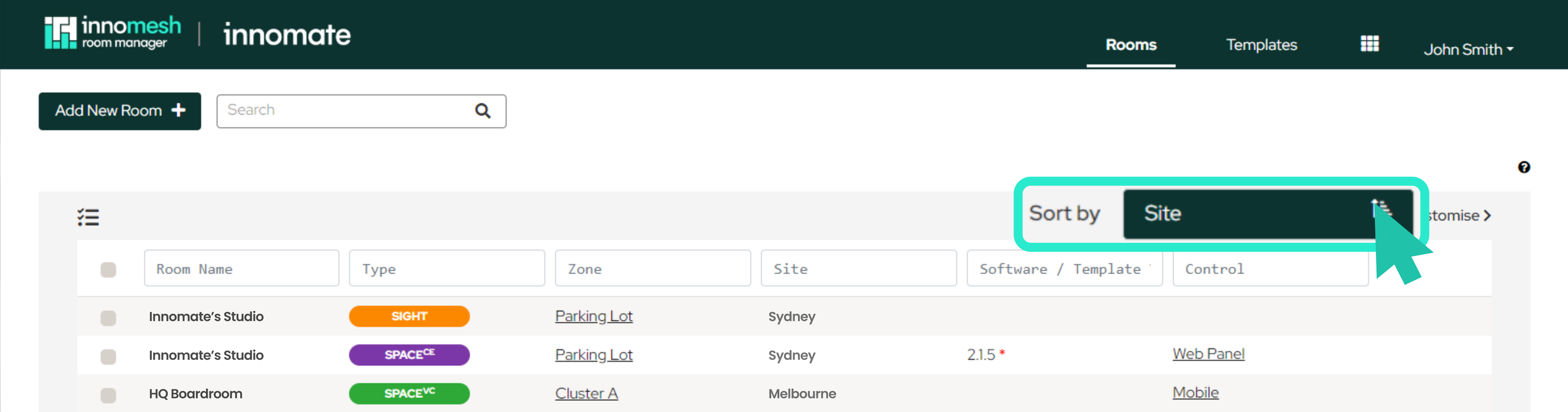 You can now filter and configure room sites through Innomesh Portal.
You can also manually update the site of the rooms through the dropdown options menu while updating or creating rooms, as illustrated below:
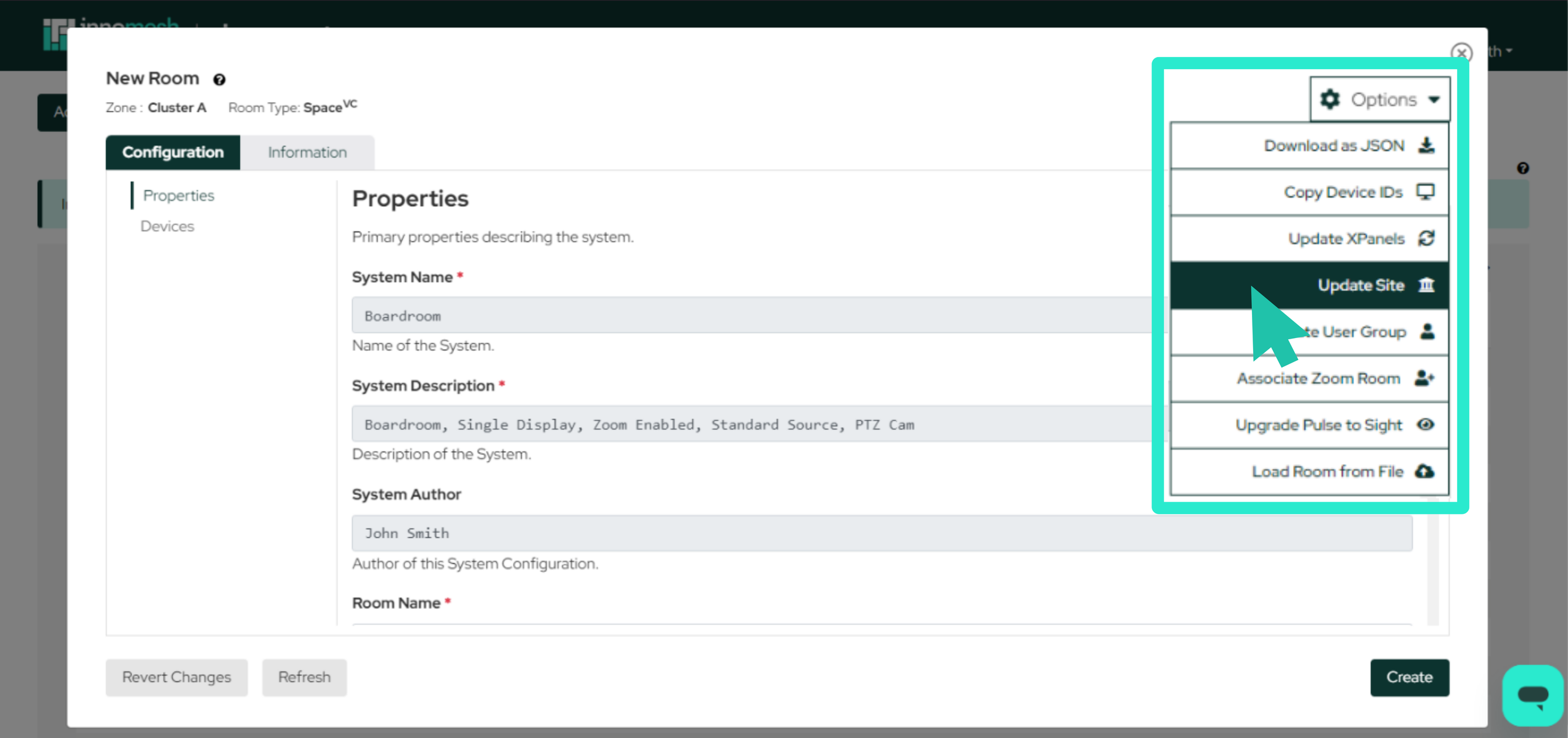 Update or assign a site to a room using Innomesh Room Manager.
Enhancements
User-Specific Alert Assignment
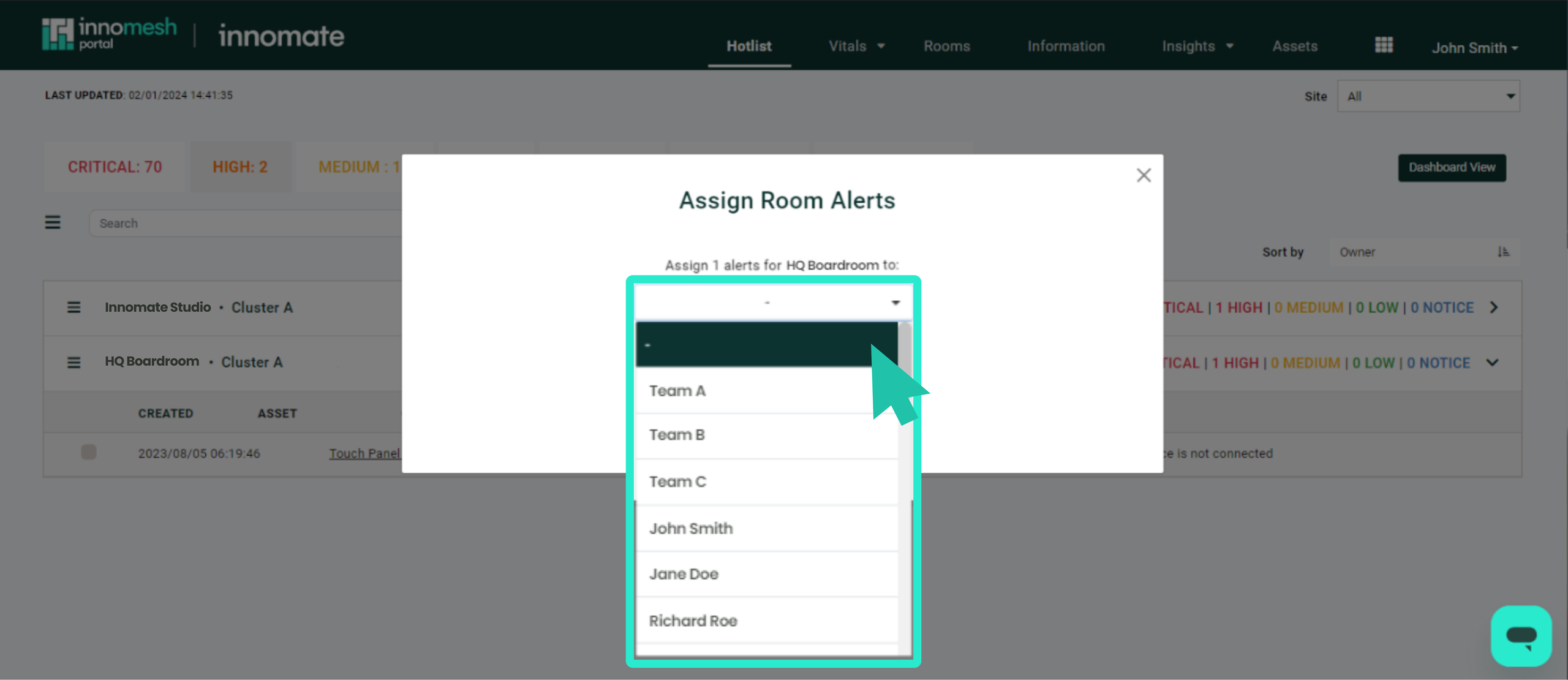
You can now assign alerts directly to individual users, providing a more in-line approach compared to group-based assignments.
Room Manager Column Filtering
Innomesh Room Manager column filtering is now available on the Rooms and Templates page.
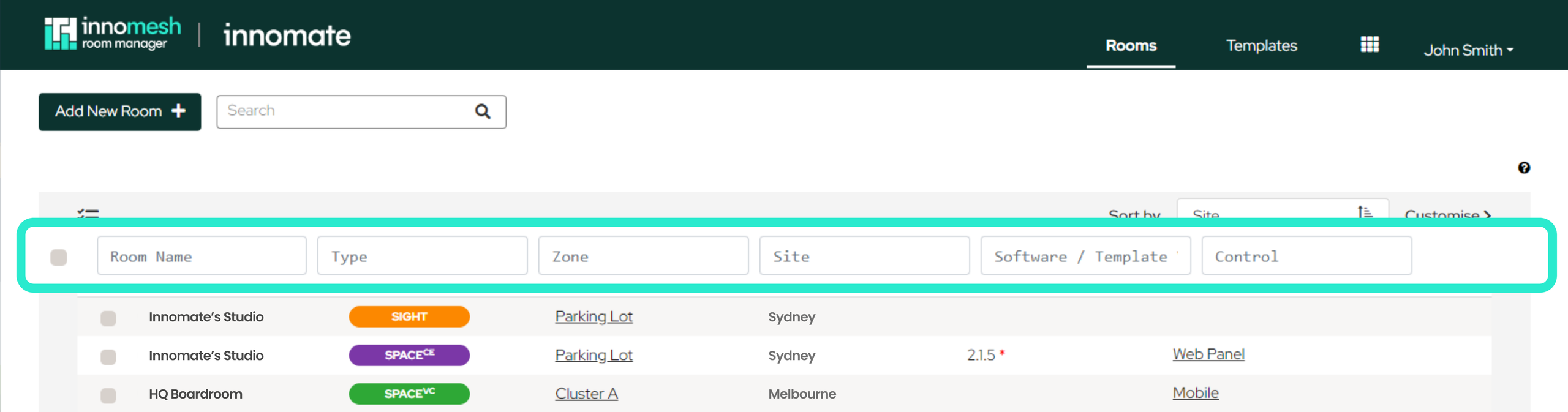
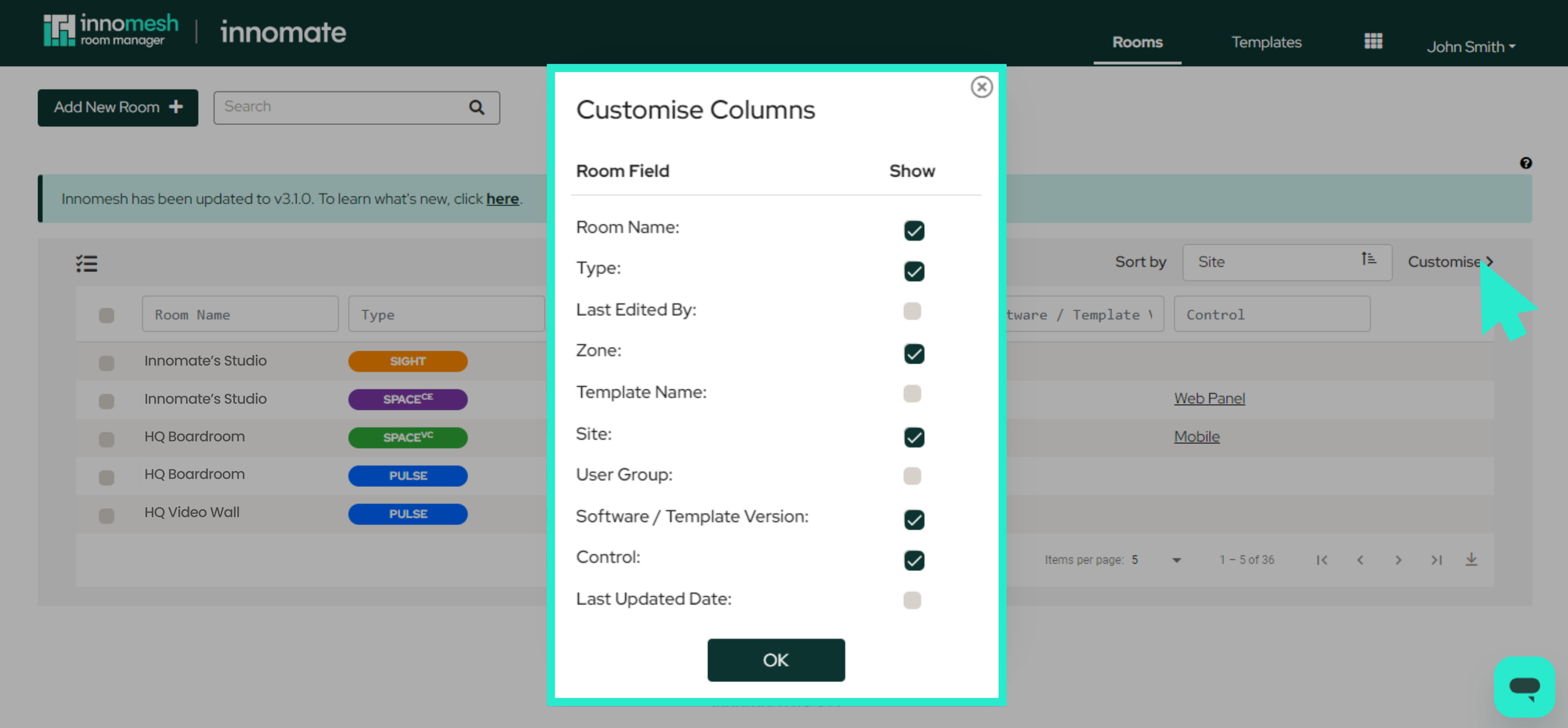
Column Customisation for Room Manager
Innomesh Room Manager column customisation (showing and hiding columns) is now available on the Rooms and Templates page. Note that this feature will persist for you across Innomesh login sessions, but does not change the filtering for others.
Bug Fixes
- Backend reliability improvements for room creation/deletion.
- Fixed custom field editing in Room Manager.
- Added “Pulse Devices” tab for Third Party Space VC rooms.
- Enhanced platform security.
Innomesh v3.3.1 Enhancements
User Group Filter
You now have the ability to filter rooms by “User Group” in addition to “Site” within the Innomesh Portal. This platform enhancement is available on the Hotlist, Rooms, Information, and Assets tabs.
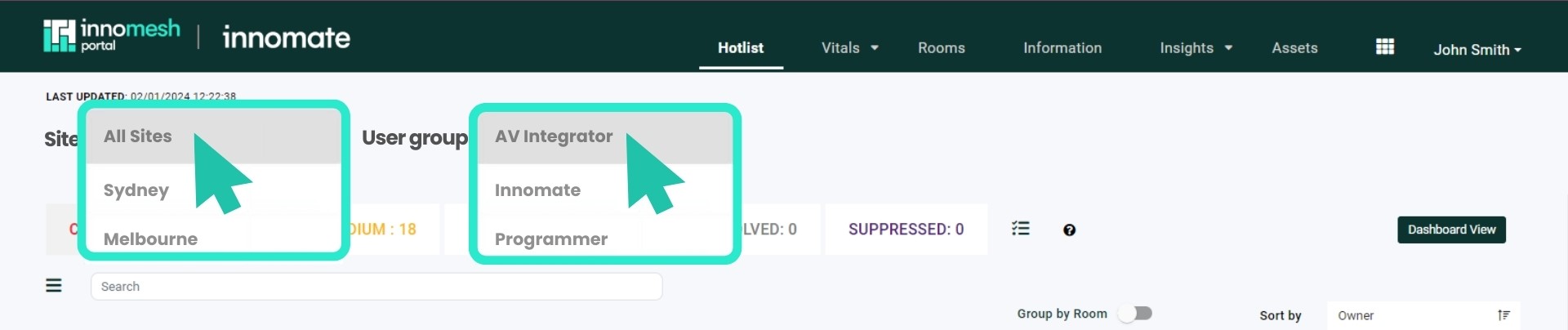 User Group and Site Filters are now available within Portal.
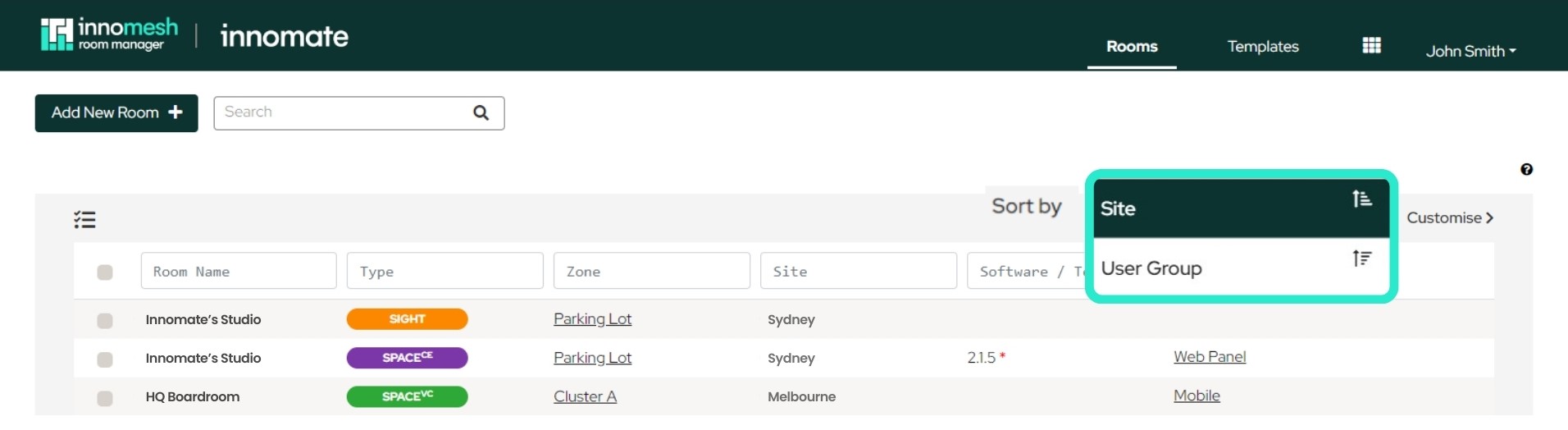 User Group and Site Filters are now available within the Room Manager.
Site and User Group Restrictions
Innomesh Portal, along with Innomesh Room Manager, now adheres to “User Group” permission restrictions. Specifically, users restricted to viewing rooms from a limited set of “User Groups” will only see those rooms in Innomesh Portal.
Search Users (Assign Alert)
Within the Innomesh Portal Hotlist, the user list dropdown in the “Assign Alert” prompt now includes a filter capability, making it easier to find users.
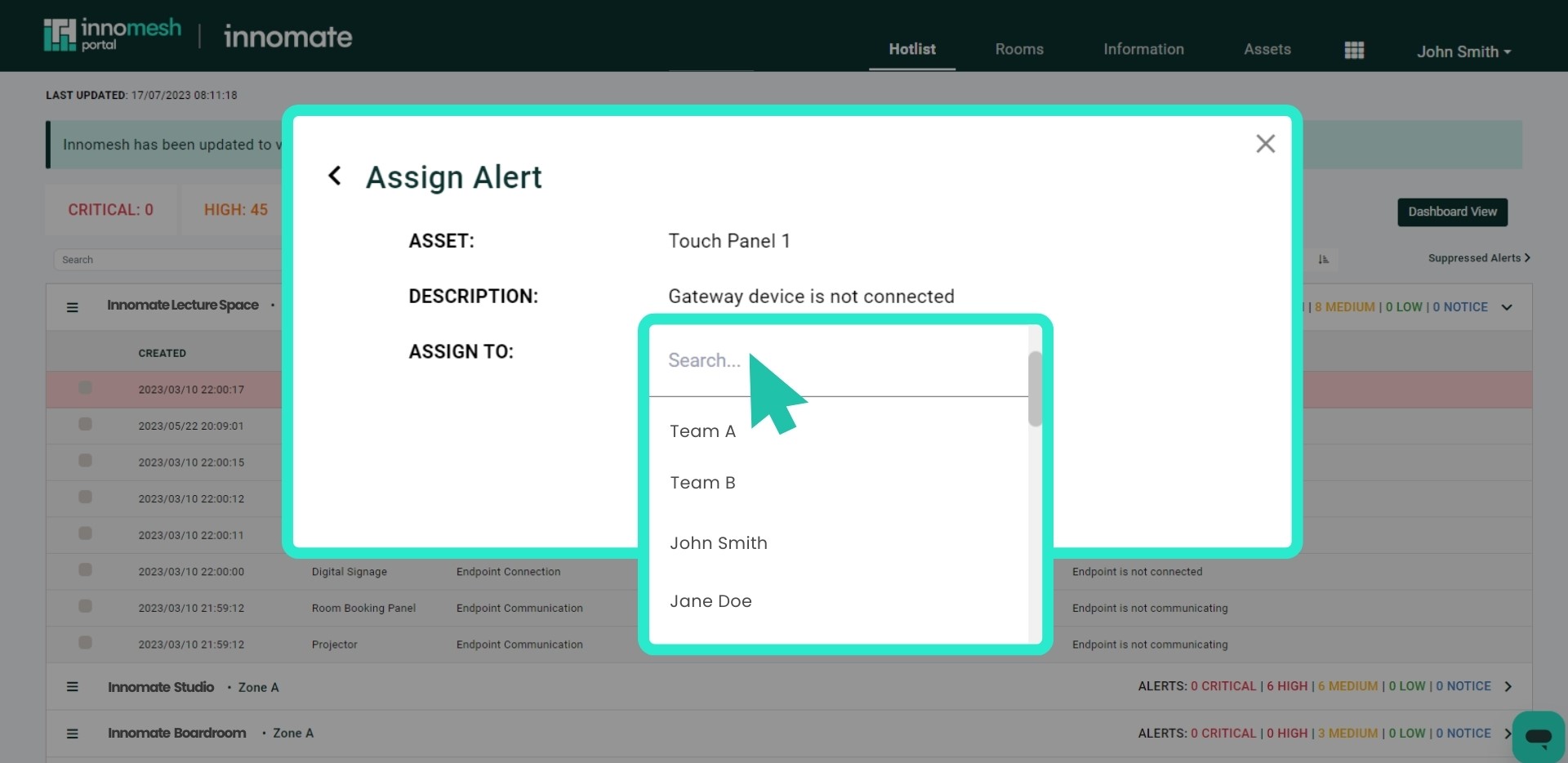 When assigning an alert, search for the specific user within the environment.
Site Information in Alert Details
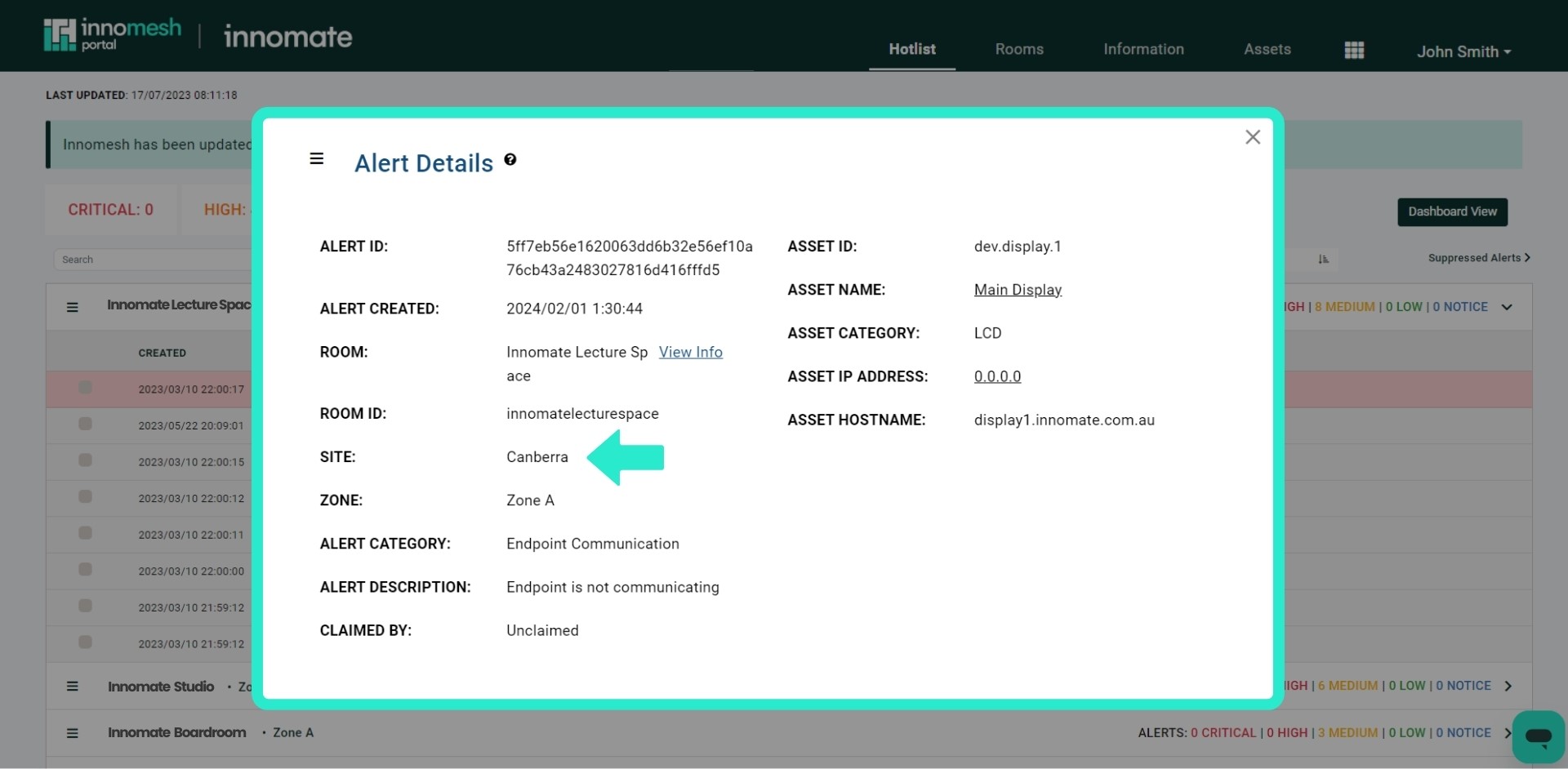
In the Innomesh Portal, the “Alert Details” view now displays a room’s “Site” information where applicable.
Bug Fixes (v3.3.1)
- SAML-defined User Groups now take precedence over individually assigned groups.
- Read-only roles are now locked from editing.
- User deallocation from all roles works as expected.
- Mass user deletion functions properly.
- Fixed permission issue: users with room creation rights can now view templates during room creation workflow.