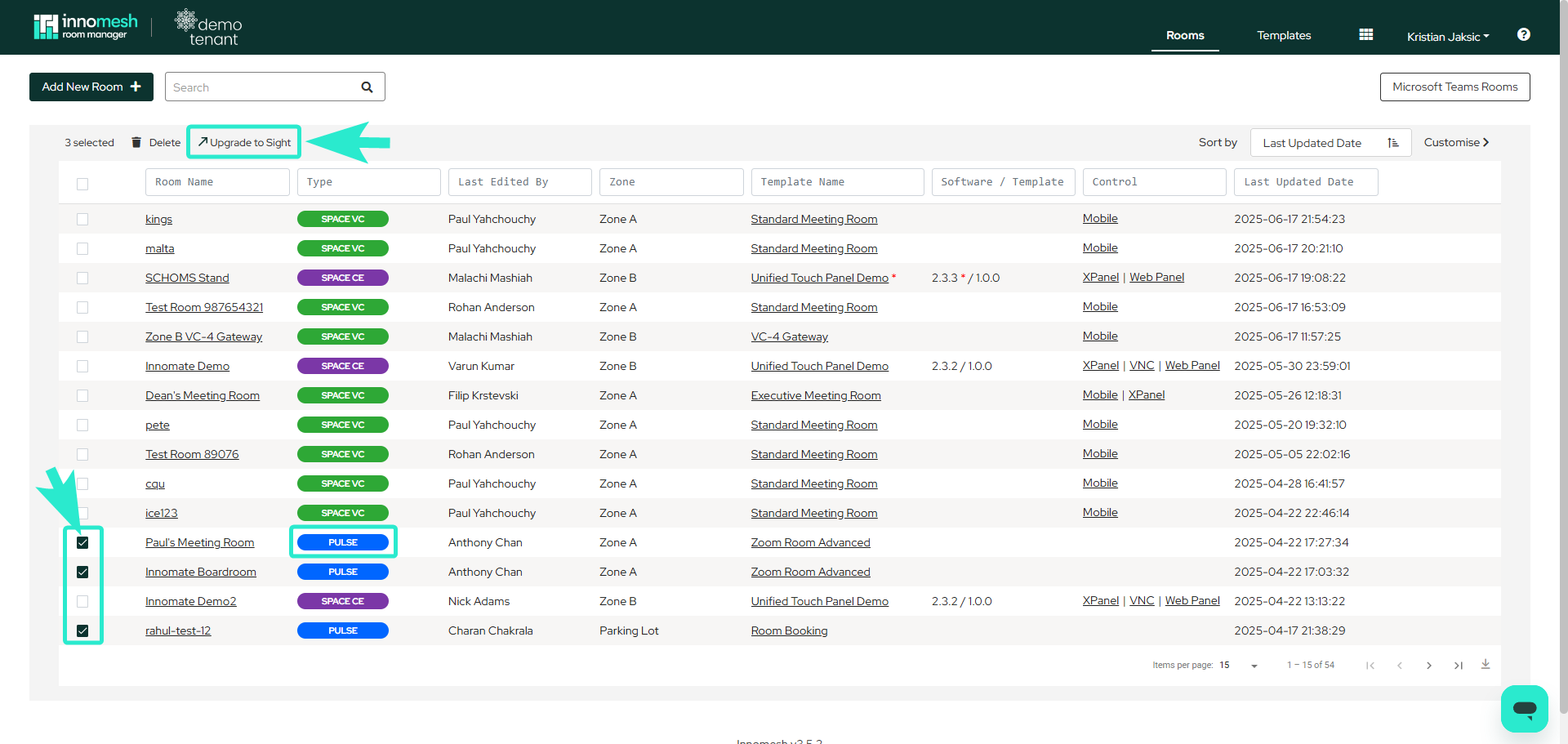
The mass upgrade/downgrade feature enables administrators to efficiently convert multiple rooms between Pulse and Sight configurations with a single action. You can upgrade rooms from Pulse to Sight or downgrade them in the reverse direction.
Features
- Select multiple Sight or Pulse rooms simultaneously.
- Execute bulk conversions with one click.
- Change room types from Sight to Pulse or vice versa.
Requirements
This feature requires Innomesh version 3.4.1 or greater.
How to Perform a Mass Upgrade or Downgrade
- Open Innomesh Room Manager and navigate to the Rooms page.
- Use the checkboxes on the right side of the room list to select multiple rooms.
- A button will appear at the top of the list once rooms are selected.
- Click the button to upgrade or downgrade the selected rooms.
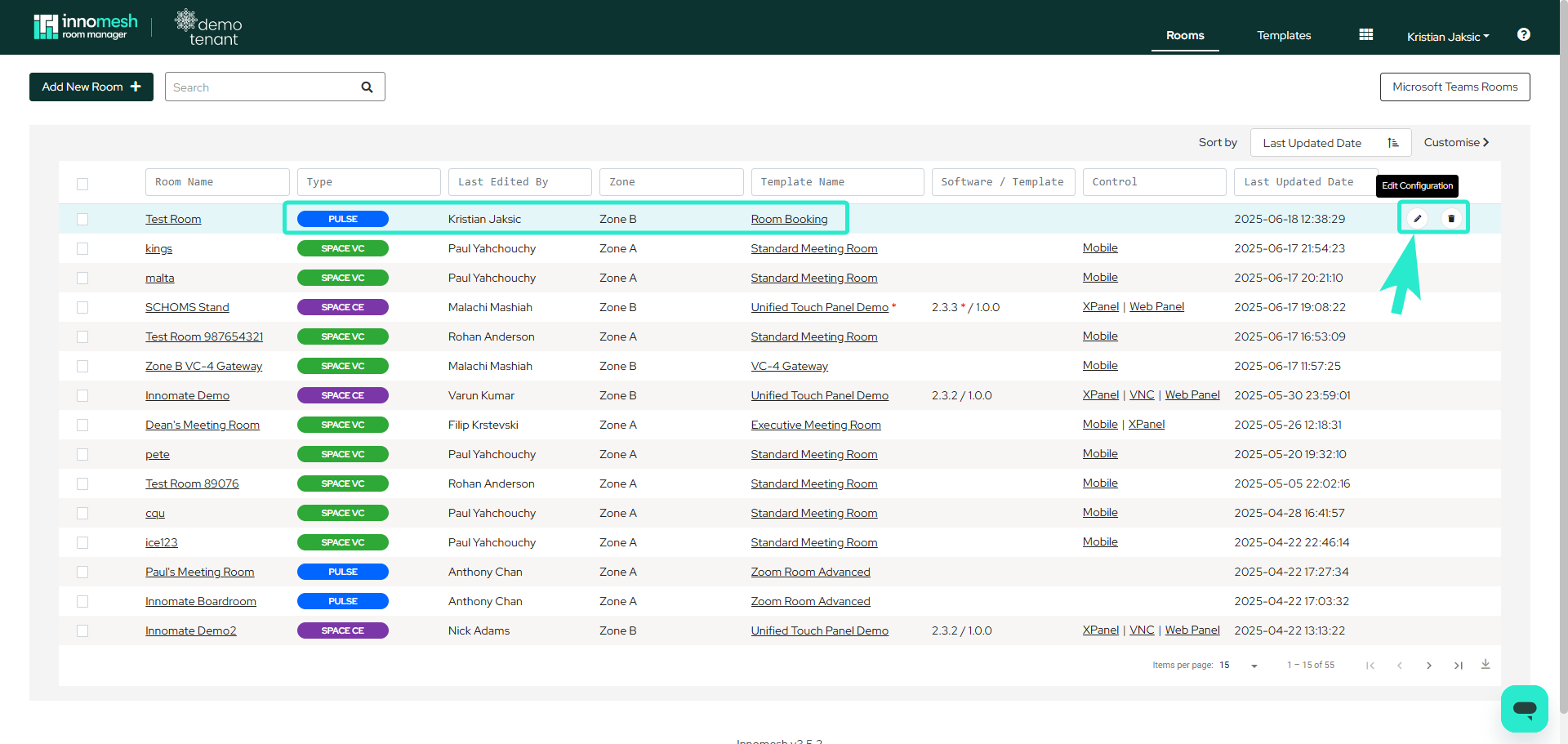
Upgrading a Single Room
To upgrade an individual room instead of performing a bulk operation:
- Click Edit Configurations in the room’s action bar within the Rooms section.
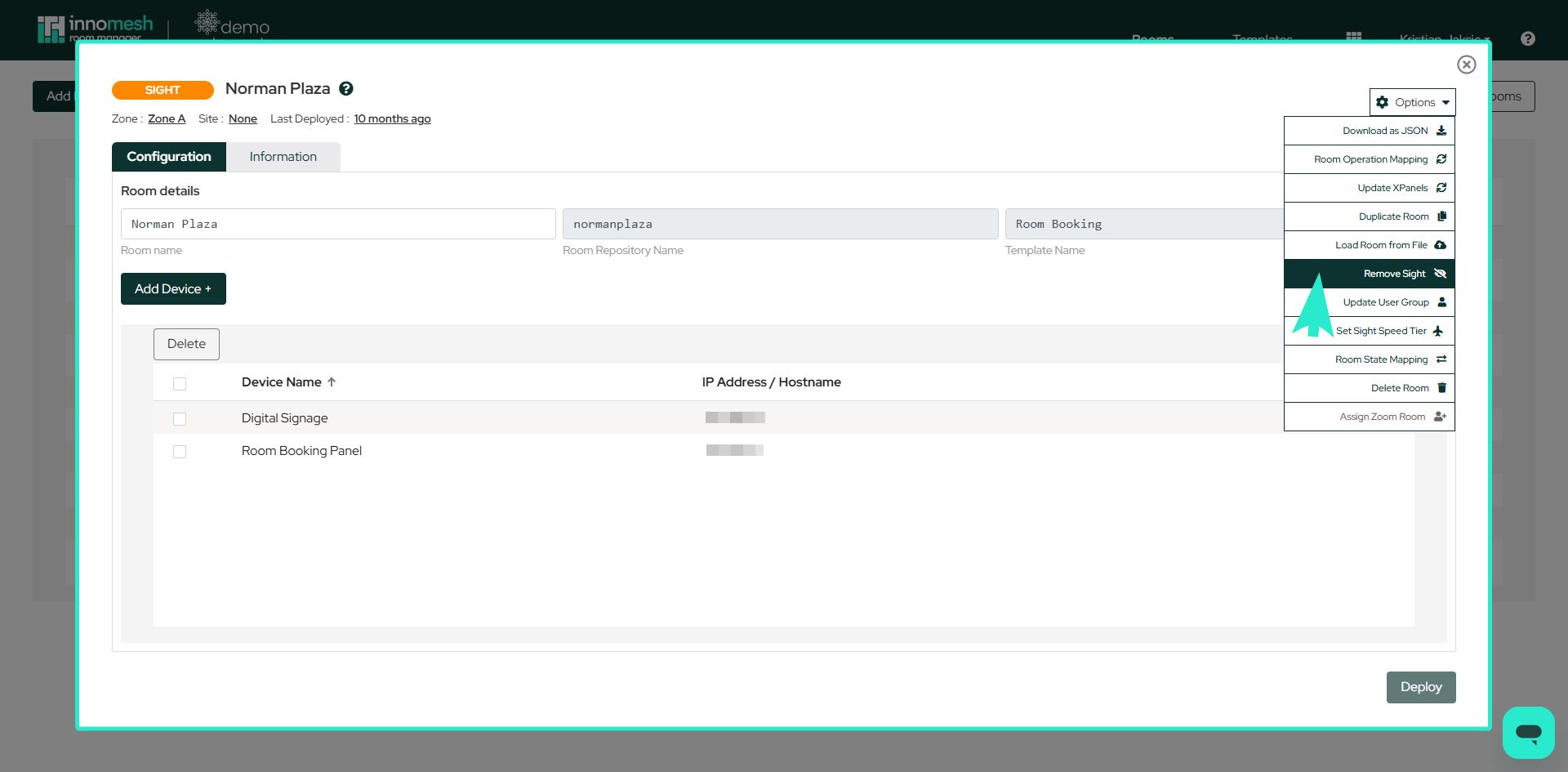
- Hover over the Options button in the top right corner.
- Select Upgrade to Sight from the dropdown menu.
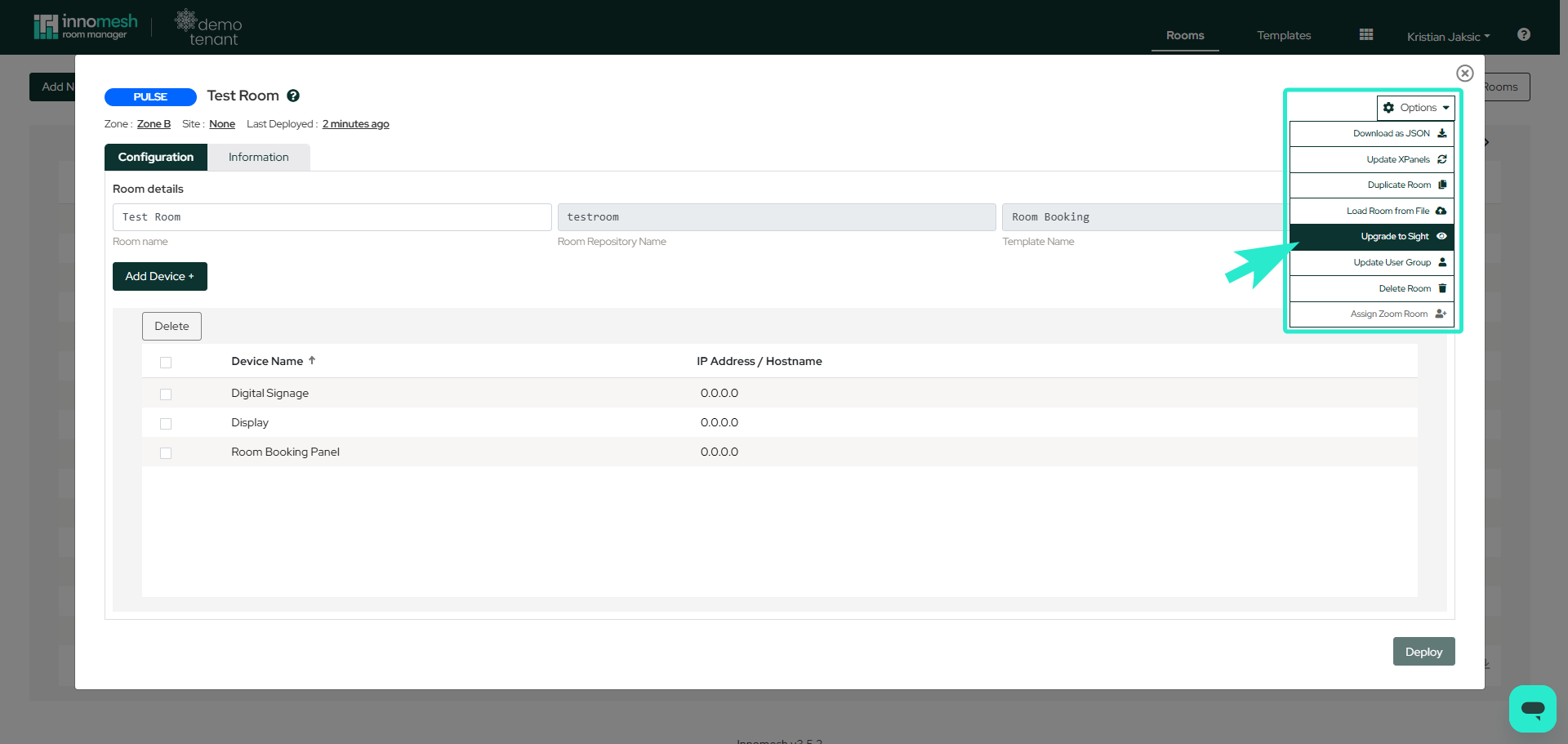
After upgrading to Sight, configure the Sight Speed Tier to determine the data collection frequency for the room’s devices.