
This guide explains how to configure Extron IN16xx Series switchers within Space CE. These devices are classified as a Switcher type and require input switches to function properly through AV Sources configuration.
Supported Models and Inputs
The Extron IN16xx Series includes two models with different input capabilities.
| Model | Supported Inputs |
|---|---|
| Extron IN1608 | Inputs 1 to 8 |
| Extron IN1606 | Inputs 1 to 6 |
Only the specified input numbers above are valid for each model. Other options appearing in the configuration dropdown should be ignored, as they do not apply to these devices.
Configuration Method
To control these switchers, define Input Switches under the AV Sources section. The dropdown menu presents various input options. Select only those matching your device’s actual physical ports.
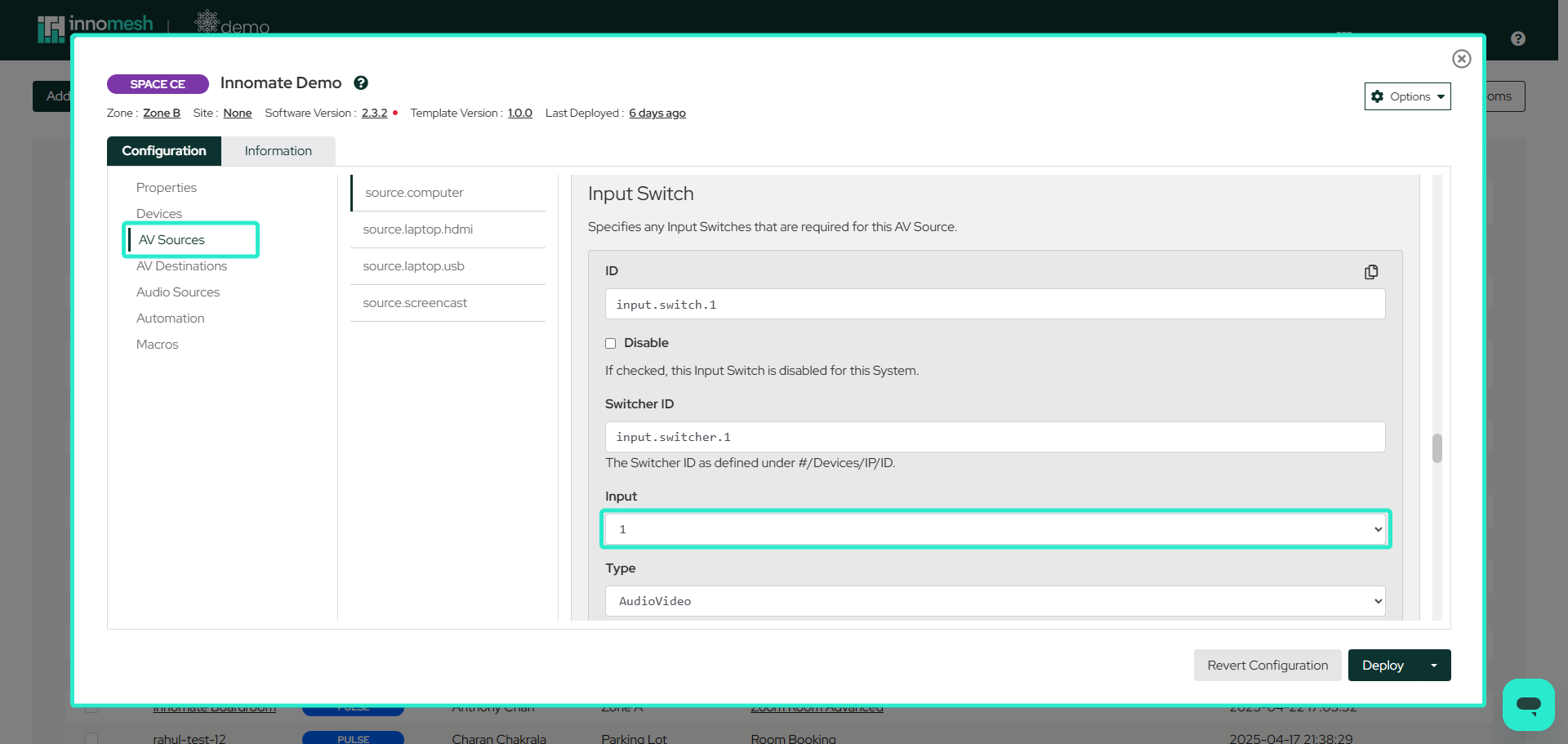 Configurations/AV Sources
Physical Reference
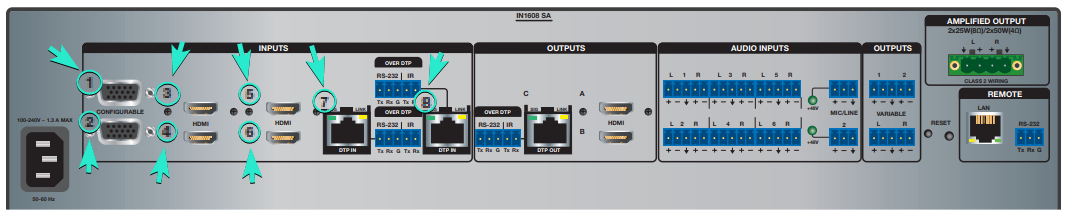
Both models have numbered ports on their back panels corresponding to their input specifications. The IN1608 provides eight input connections, while the IN1606 provides six. These physical labels serve as the reference for proper configuration.
Extron IN1608:

Extron IN1606:
Important Notes
- Familiarity with AV Sources documentation is essential before configuring these switchers.
- Input selection is the only required configuration element for switcher operation.
- Port numbers on device back panels directly correspond to valid configuration inputs.